
Filippo Gori
From check-in to checkout: designing the getpica.com app
ROLE
UI/UX Designer
GOAL
Improve and keep updated the user experience of an existing app: reducing friction, simplifying navigation, and shaping an intuitive flow from onboarding to photo purchase, while encouraging conversions through contextual promotions and targeted communications.
Project OVERVIEW
TL;DR
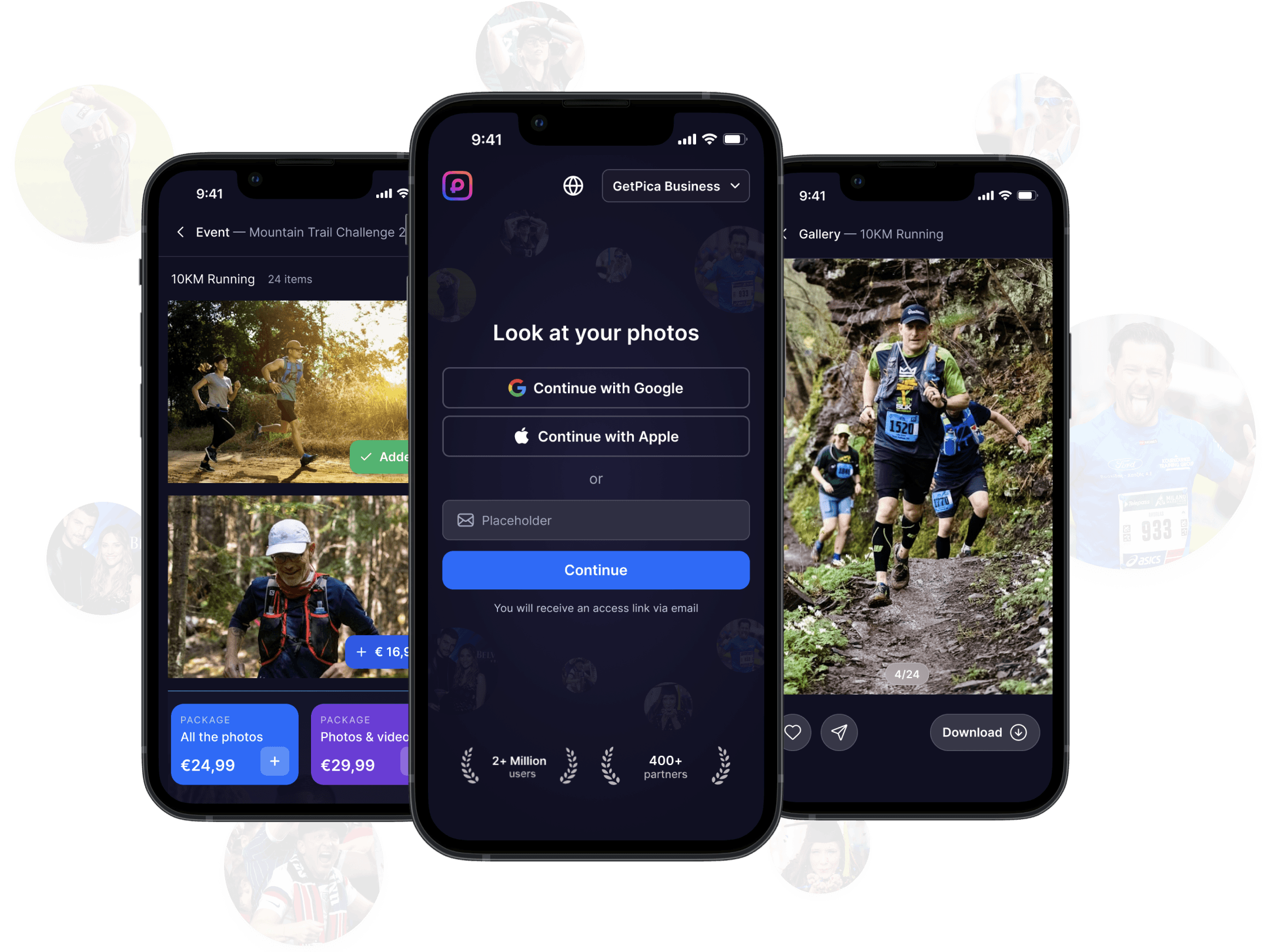
GetPica's app already worked, but it's not enough. Behind every event photo there's a person who ran a race, danced at a party, or climbed a mountain, and they deserve better than a confusing app. From the first login to the final purchase, every decision was made with one goal: get the user to their photos, fast as possibile and without any friction.
ABOUT getpica

3M
Users worldwide
60+
Countries
2B+
Photos delivered
400+
B2B clients


ROLE & TEAM
As the only one designer in the company, I worked directly with the Head of Product in a hybrid UI/UX role.
Frequent collaboration with CTO and development team was necessary, it was smooth and straightforward, no interruptions and always on the same page.
Design
——
DESIGN DECISIONS
With the context clear and the goals defined, every design choice was driven by one question: does this make the experience simpler, faster, and more intuitive for the user?
01 - ONBOARDING
Onboarding was designed to be as fast and frictionless as possible. Social login remains the preferred choice for most users, one tap only.
But for those who log in with their email, we made a deliberate switch: from a verification code to a magic link.
onbording flow
The reason was simple. A code requires the user to switch apps, copy, paste, and return, a small effort that was costing us too many abandoned sessions.
A magic link eliminates all of that: one tap in the inbox, and you're in. The authentication is memorized, the user doesn't need to verify every time.
user Check-in authentication
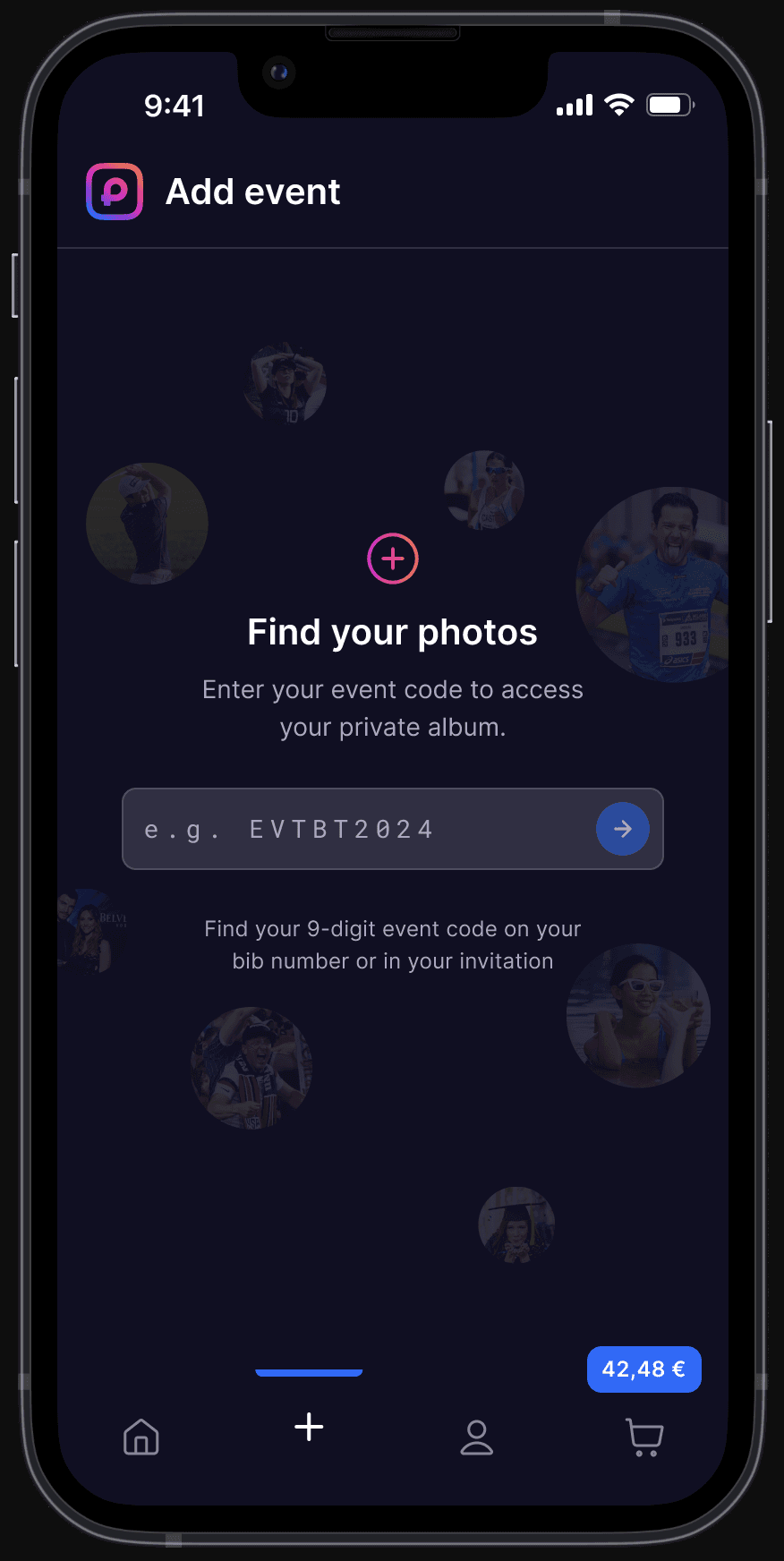
Once logged in, the experience branches depending on the event type. For endurance events, which represent the majority of our user base, recognition happens through the athlete's bib number. Users enter a 9-digit welcome code to access their private album: in most cases, no selfie required.
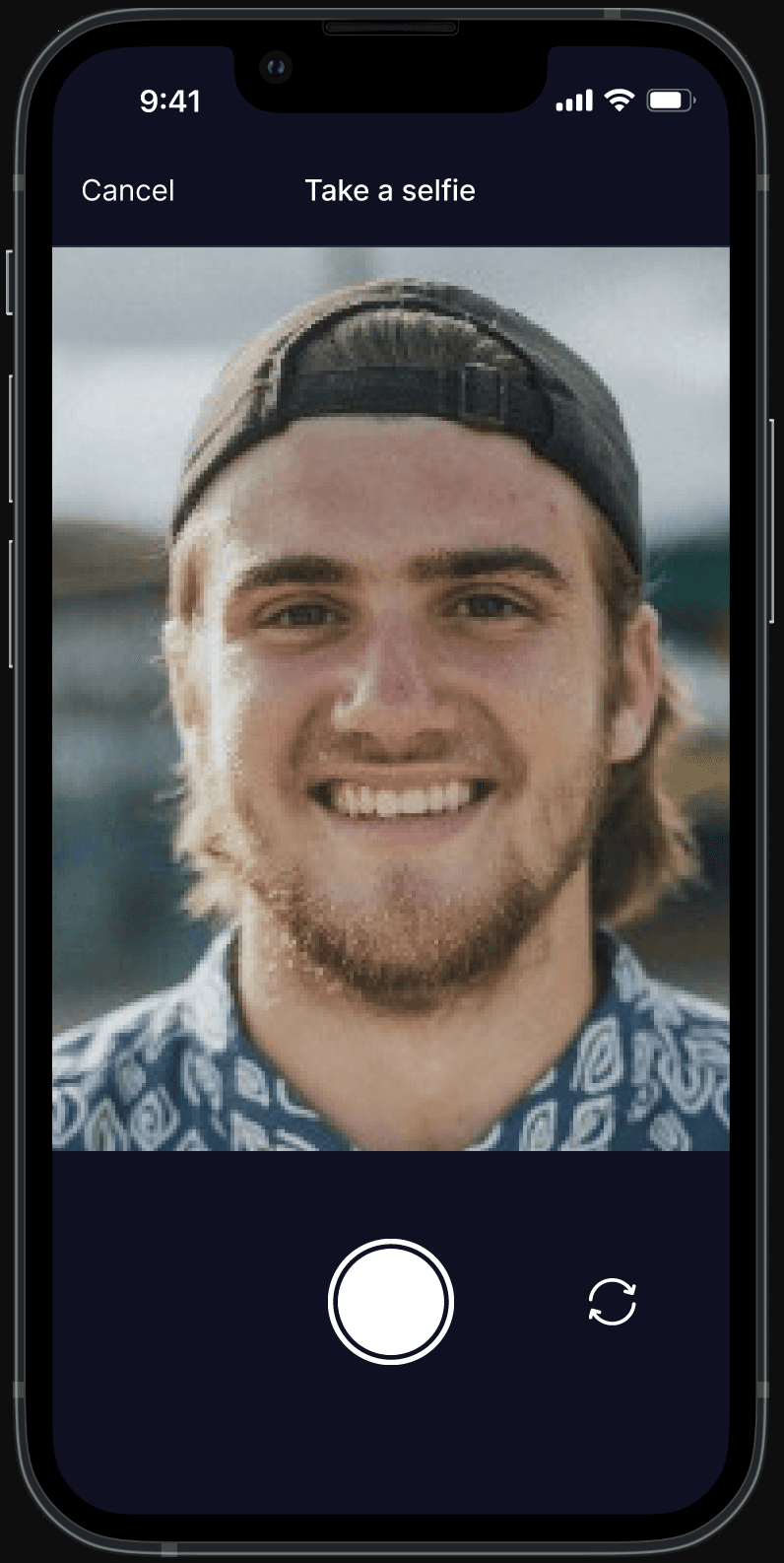
For other event types, such as corporate events, gala dinners, conferences, and sports events without bib numbers, users arriving via a direct link or QR code are taken straight to the selfie screen. Whether through facial recognition or a 9-digit welcome code, the promise is always the same: every photo of you, found automatically.
02 - NAVIGATIOn
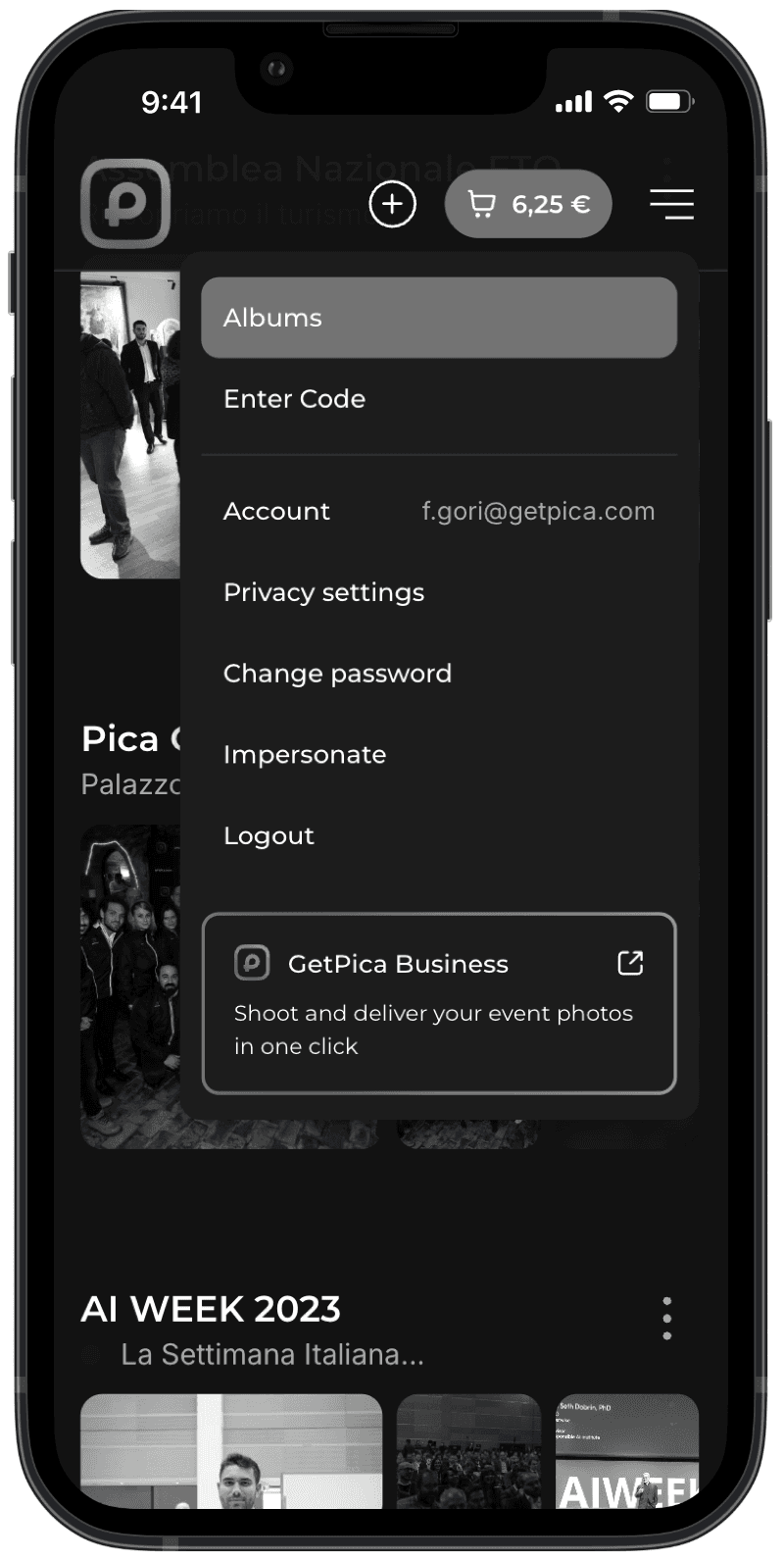
Previous menu
new menu
The app originally relied on a hamburger menu, a pattern borrowed from web that never felt quite right on mobile. Tapping it revealed a dropdown that covered half the screen, mixing primary actions like browsing albums with secondary ones like changing a password. Not so much hierarchy and clarity going on.
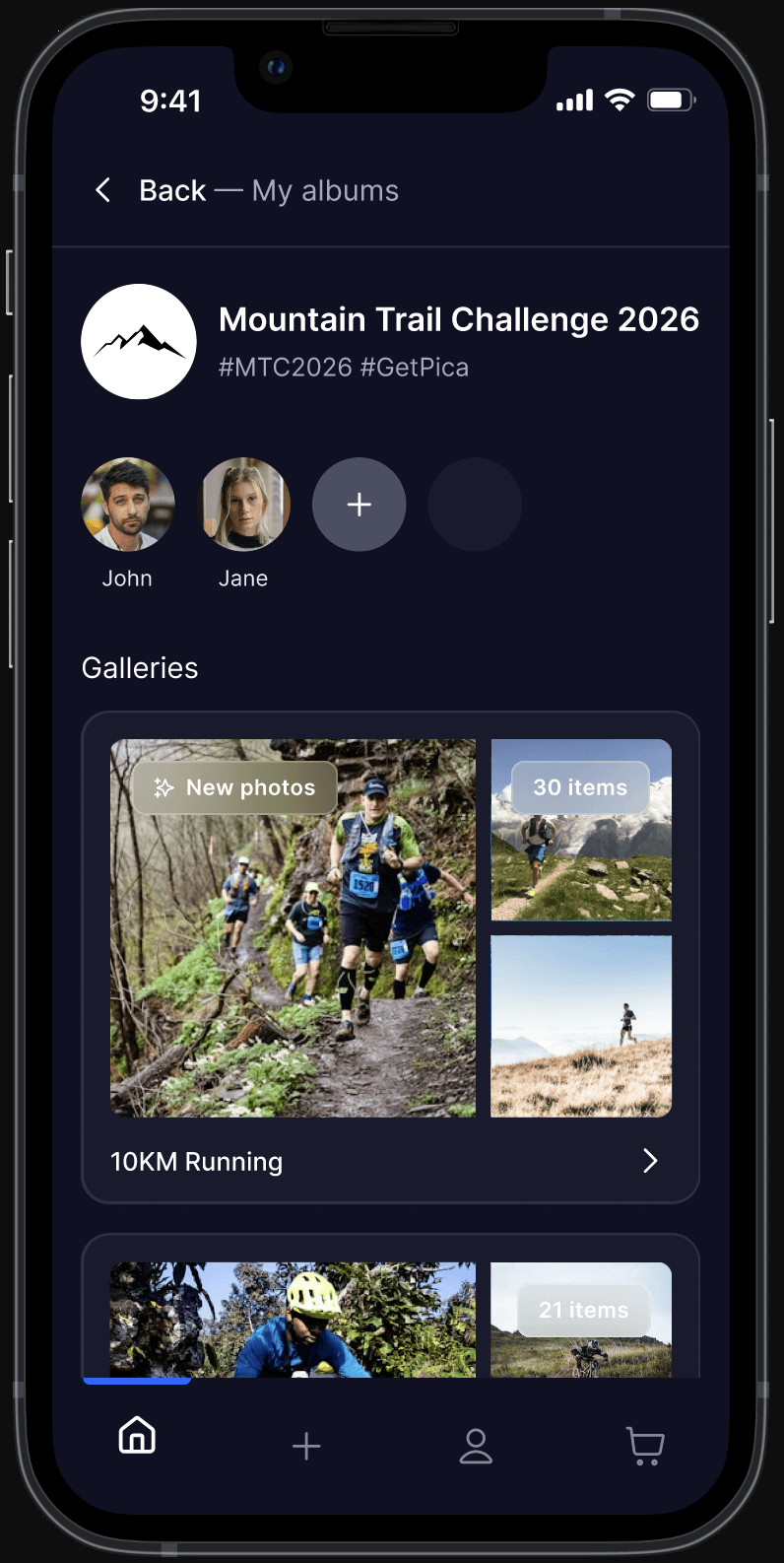
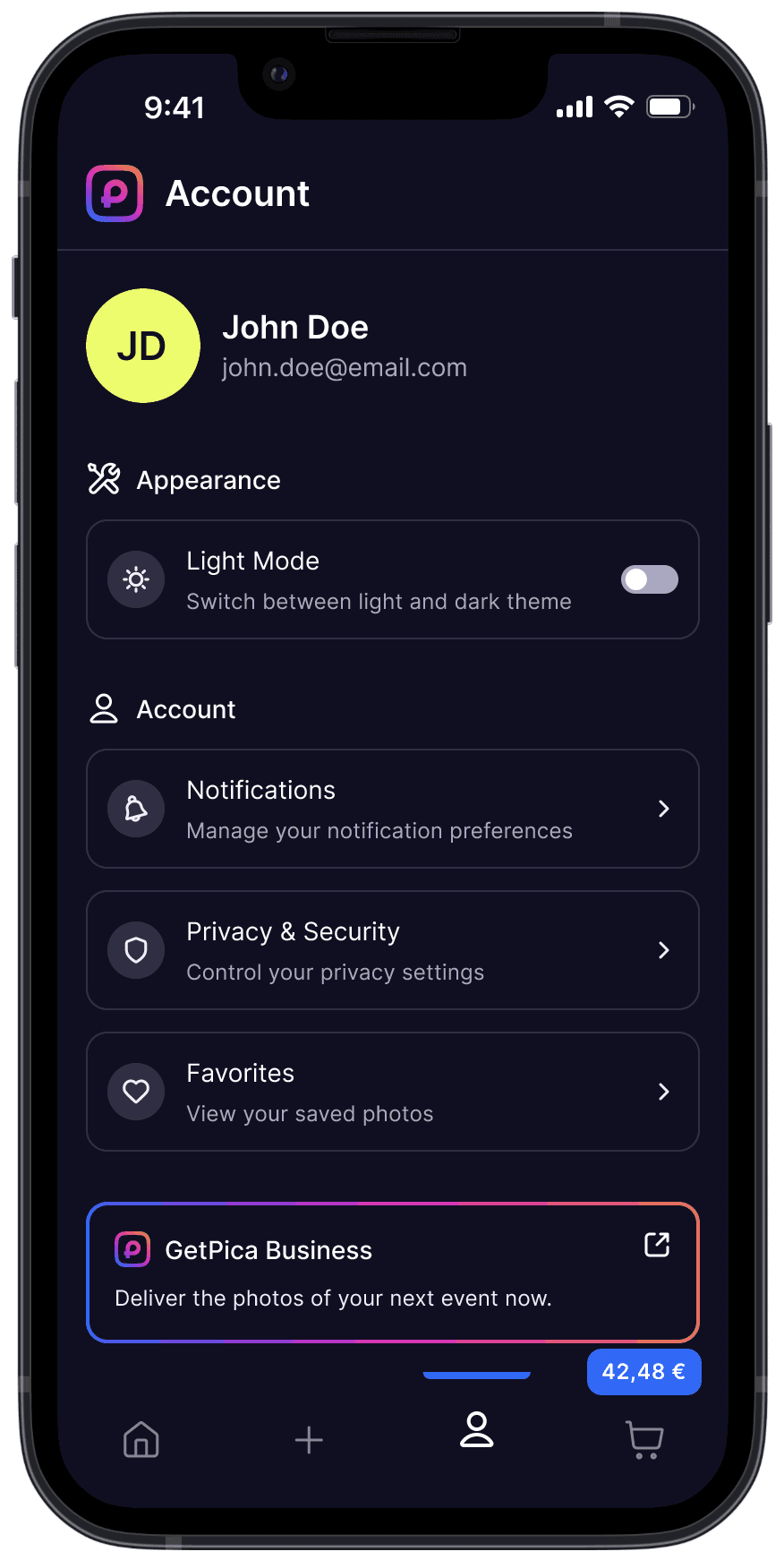
The solution was straightforward: a bottom navigation bar with just 4 items: Home, Add Event, Account, and Cart
ACCOUNT SECTION
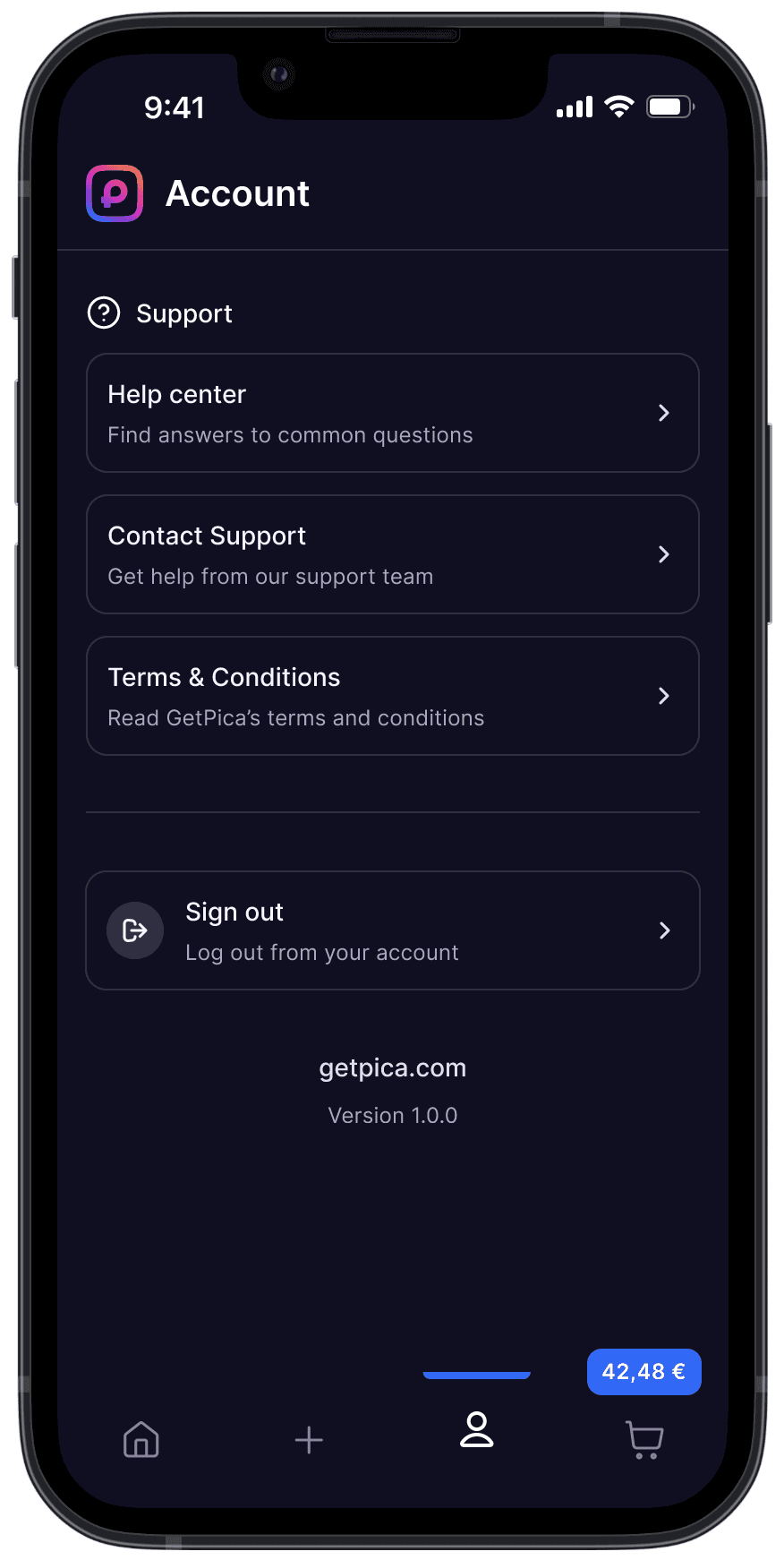
Everything that didn't belong to the main flow got consolidated into a dedicated Account section: privacy settings, password change, logout, favorites, notifications, help center, customer support, and terms and conditions. The B2B-facing GetPica Business link, previously surfaced in the main menu, found its place there too. One place for everything secondary, clearly separated from the core experience.
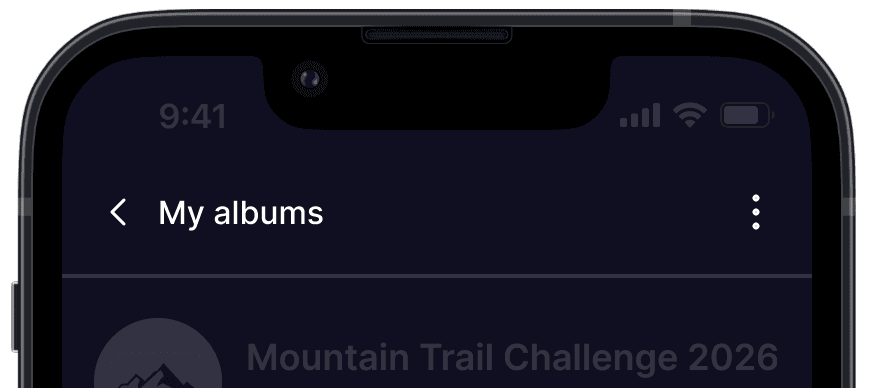
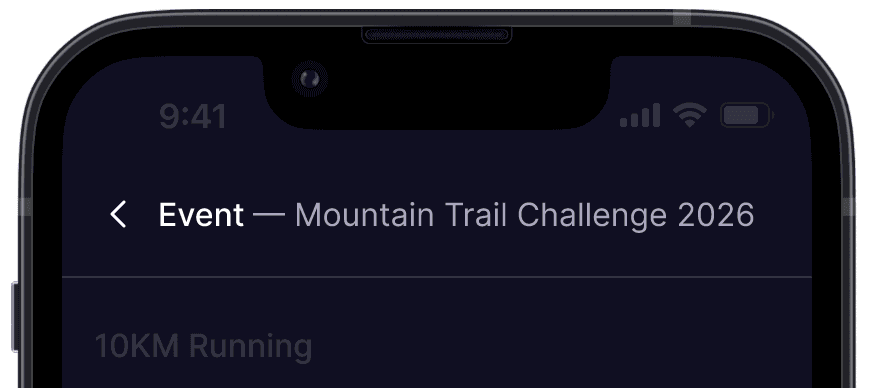
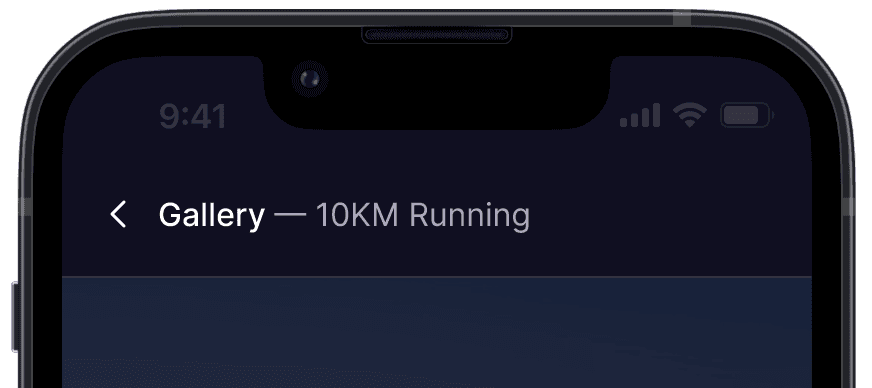
NAVIGATION BREADCRUMBS
The header was cleared as a result, a simple breadcrumb replaced generic titles, so users always know where they are and how to get back, without thinking about it.
GESTURES
To progressively improve the fluidity of the experience, we introduced subtle motion and gesture-based behaviours. One example is the bottom menu: it disappears while scrolling down and reappears when the user stops, giving more viewport to browse photos and keeping the photos front and center without competing with the navigation.
03 - Purchase flow
Once inside their event album, users browse through their personal gallery, every photo already filtered and ready.
This is where GetPica's core promise becomes tangible: no manual searching, no scrolling through hundreds of strangers. Just the moments that belong to you. Each photo can be added to the cart individually with a single tap.
PURCHASE EXPERIENCE
The cart presents a clean order summary: items, a transparent breakdown of fees, and the total. Multiple payment methods are supported, keeping the checkout familiar and accessible.
Once the purchase is completed, the user lands on a minimal confirmation screen with a single action: View your photos.
DESIGN DECISION
The purchase flow was designed to be as linear and frictionless as possible: login, check-in, browse, add to cart, pay. Five steps, no detours. But the experience doesn't end at checkout. Once the order is confirmed, a single CTA brings the user back to their albums, closing the loop and making the flow circular.
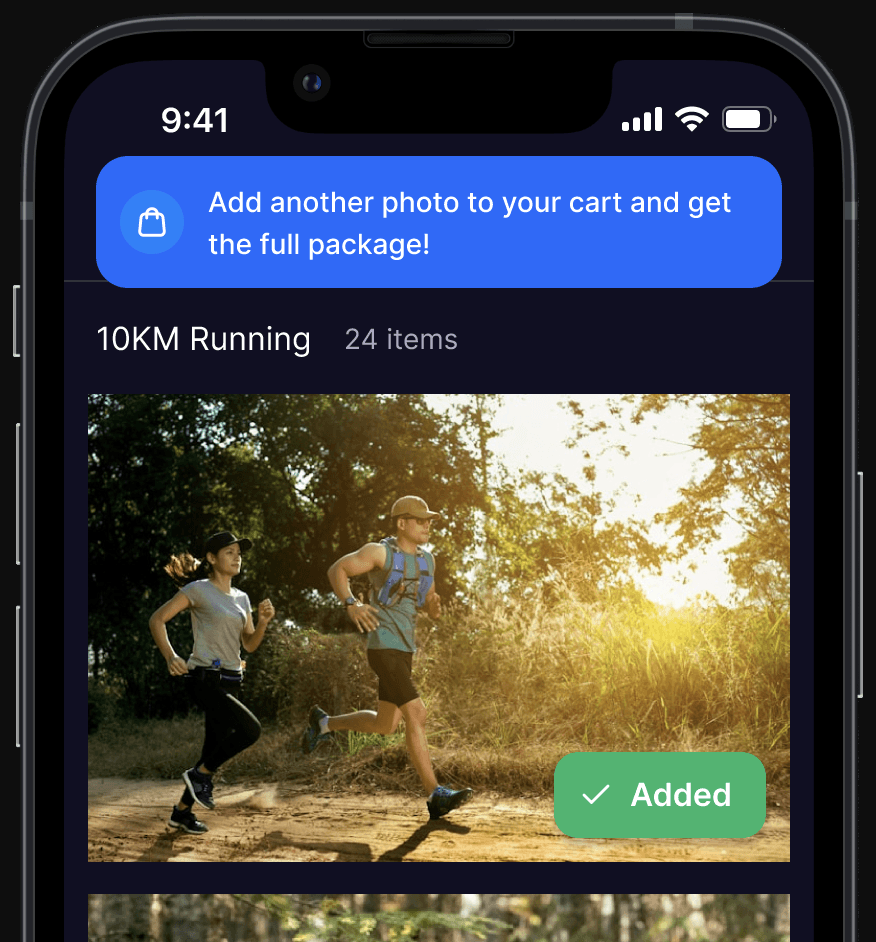
CONTEXTUAL MESSAGE FOR PROMO UPSELL
As users browse their gallery and add individual photos to the cart, the app tracks their selections. From the third photo added, a contextual prompt appears, suggesting they add one more to unlock the full package deal.
The upsell arrives at exactly the right moment: when the user is already engaged, already buying, already convinced. Not before, not after.
This is made possible by two package options always visible at the bottom of every gallery: All the photos and Photos & video. Internally, driving users toward these packages is a primary goal: they're more convenient for the user, especially at endurance events, where participants typically want every shot, and more valuable in terms of revenue.
The design reflects this priority: the offer is always present, always clear, never in the way.
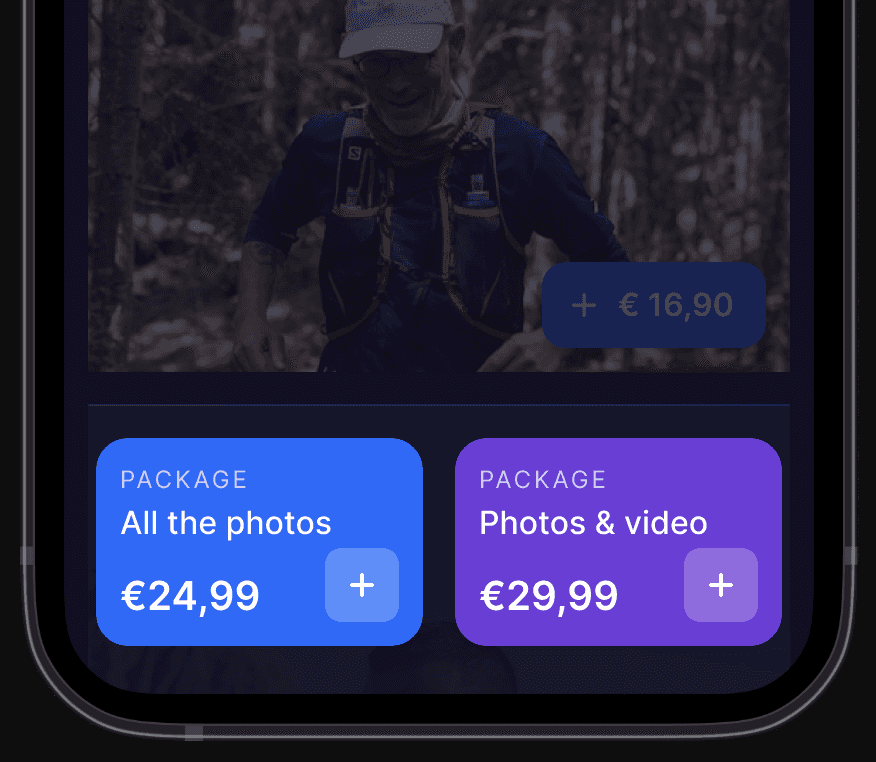
PROMO UPSELL ON photos for sale
04 - USER misdirection
We encountered an issue with properly redirecting users from the login screen.
Many users, instead of logging in to getpica.com, somehow ended up on the B2B business site, and consequently on the platform for event organizers, where they created events by entering the 9-digit code that is actually used to access photo albums on the app.
This caused us to lose, if only a few, of potential users intending to purchase photos, and thus revenue.
The decisions we’ve made so far have been to remove the banner at the top of the login screen promoting getpica.com for those wanting to host an event, i.e., the B2B section.
Then we removed the call to action aimed at B2B users, which was located within the hamburger menu. As seen in the previous screenshots, the hamburger menu has been completely replaced by the bottom navigation bar, and the B2B call to action has been moved into the Account section, at the bottom, with updated copy to make it less misleading.
These are small but deliberate steps toward minimizing misdirection and protecting every potential purchase opportunity.
What's next
——
I know what you're thinking, one limitation of this case study: there are no metrics. Not because the work wasn't tracked, but because UX decisions were rarely tied to measurable KPIs within the company. Analytics efforts were directed primarily toward marketing campaigns rather than in-app behaviour.
It's a gap I'm aware of, and I'd approach it differently given the chance.
That said, users do talk. Without formal data, Trustpilot reviews became an informal but telling signal, and the recurring themes speak for themselves.
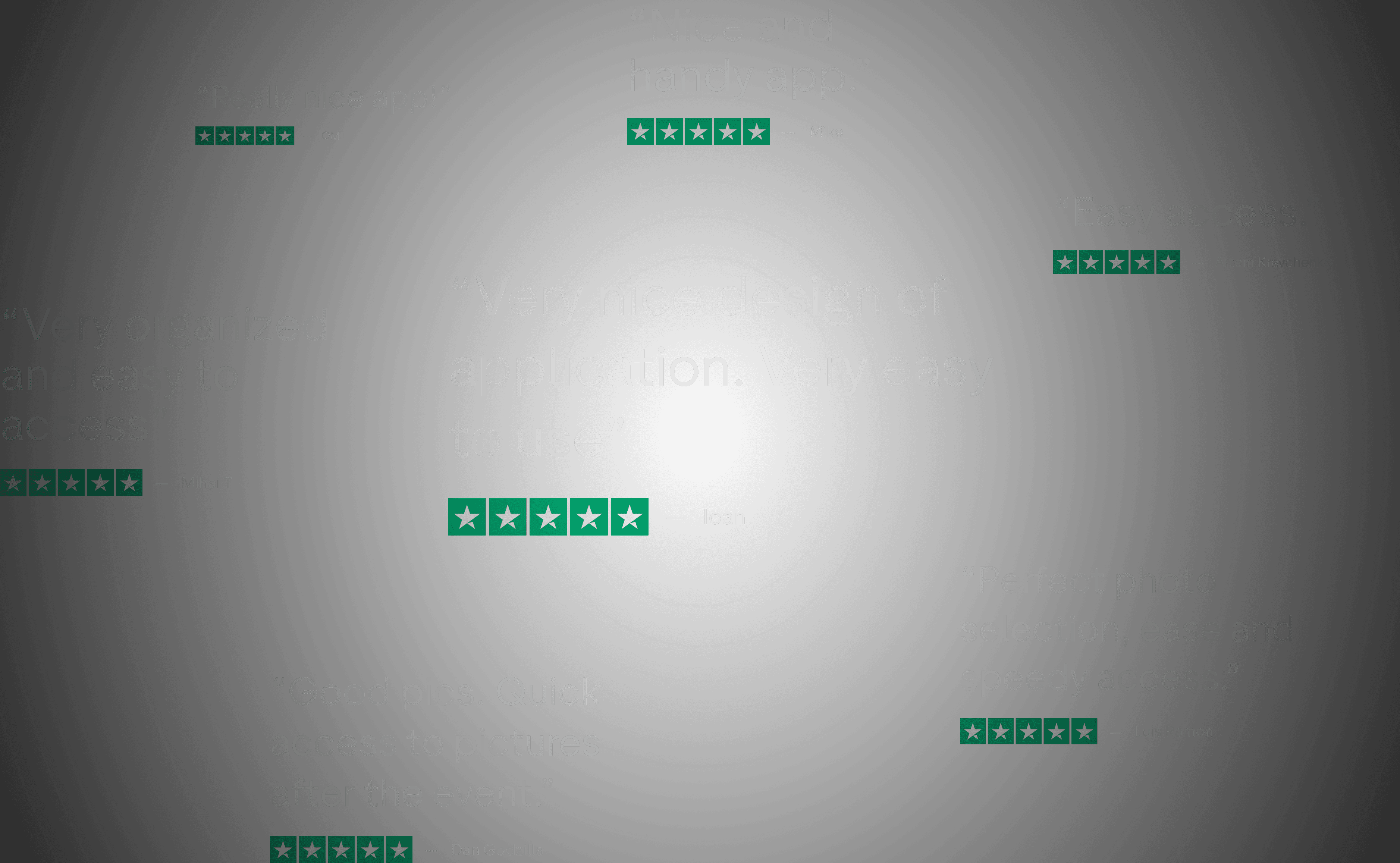
Users consistently love the service: fast access, good photo selection, easy to use. But this doesn't mean that the product and its experience can't be better. It's not dissatisfaction, this design was born from the belief that a great service deserves a great interface.
Thank you for reading
Filippo Gori
© 2026
Filippo Gori