


ALLFIT: Designing a Fitness Discovery
& Booking App
ROLE
UI/UX Designer
TIMELINE
24 hour sprint
GOAL
Apply a full UX process from scratch: defining user needs, mapping the information architecture, designing wireframes, and delivering a complete mobile prototype for a fitness activity discovery and booking app, following every step learned throughout the year.
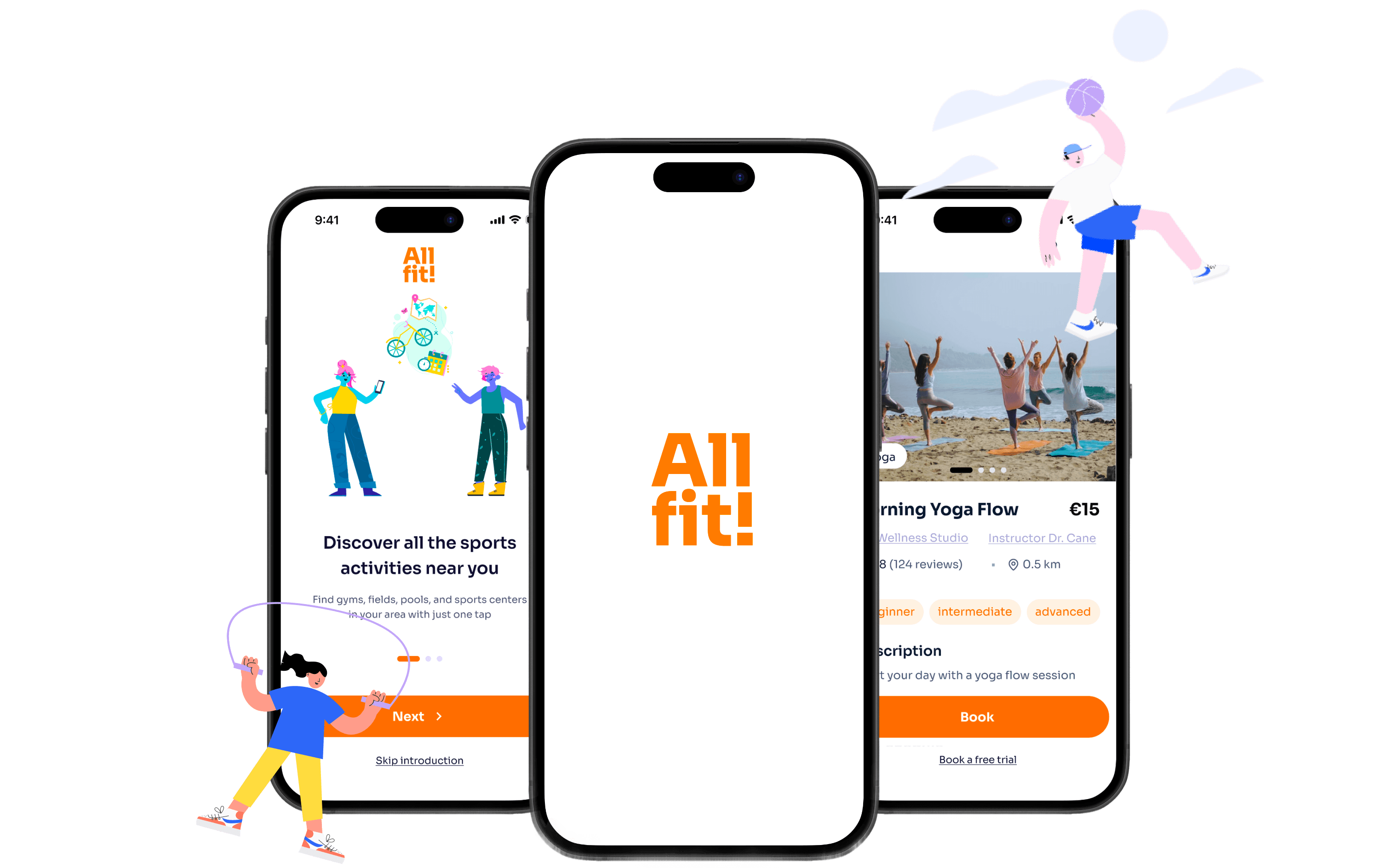
Project OVERVIEW
TL;DR
At the end of our Master's in Information Architecture and UX Design, we finally had the chance to put everything into practice. No brief, no client, just a blank canvas and everything we'd learned throughout the year. We decided to design a service for people who struggle to find a fitness activity or a gym that truly fits their needs. From research to prototype, the four of us: Filippo, Samuele, Federica, and Cecilia, applied the full UX process and built something from scratch.
problem
Finding the right fitness activity or gym in your area should be simple. Instead, it means juggling multiple websites, dealing with outdated information, and calling facilities just to get basic details. Most people drop off before making a single booking.
solution

Research
——

Research — user personas
Since the entire project was developed in just 24 hours, we did not conduct formal interviews with a specific user base; instead, the university provided us with a series of qualitative interviews conducted with people aged 19 to 55, all of whom had different sports-related needs but ultimately shared common needs. Based on these interviews, we created three user personas:

Carlotta
19 • Milan
The shy newcomer
"I'd love a clear, fast app where I can compare everything without having to call anyone."
need
Quick info, no phone calls
Pain point
Limited budget, shy to contact facilities
Goal
Find a pool for swimming near her

Alberto
35 • Perugia
The working daD
"I need an activity close to home, always open, so I can manage family, work and training without stress."
need
24/7 activity nearby, trustworthy place
Pain point
Hard to plan ahead, very little free time
Goal
Stay fit around a packed schedule

Maria
55 • Bari
The sprint mum
"I want to find dynamic activities between Monopoli and Bari with flexible hours, without searching across a thousand websites."
need
Flexible activities across two cities
Pain point
Doesn't want to be tied to one sport or place
Goal
One platform to browse and compare options
Organization, trust, and the trial lesson: these are the three main needs that emerged from the personas we created.
The way information is organized in one place, in an orderly manner that’s easy to access without having to jump back and forth between different websites.
People must have the right to consult and “get to know” a facility or sports activity as much as possible before taking any action: photos, descriptions, reviews, and prices, all key factors in winning the user’s trust.
Information architecture
——
functional design
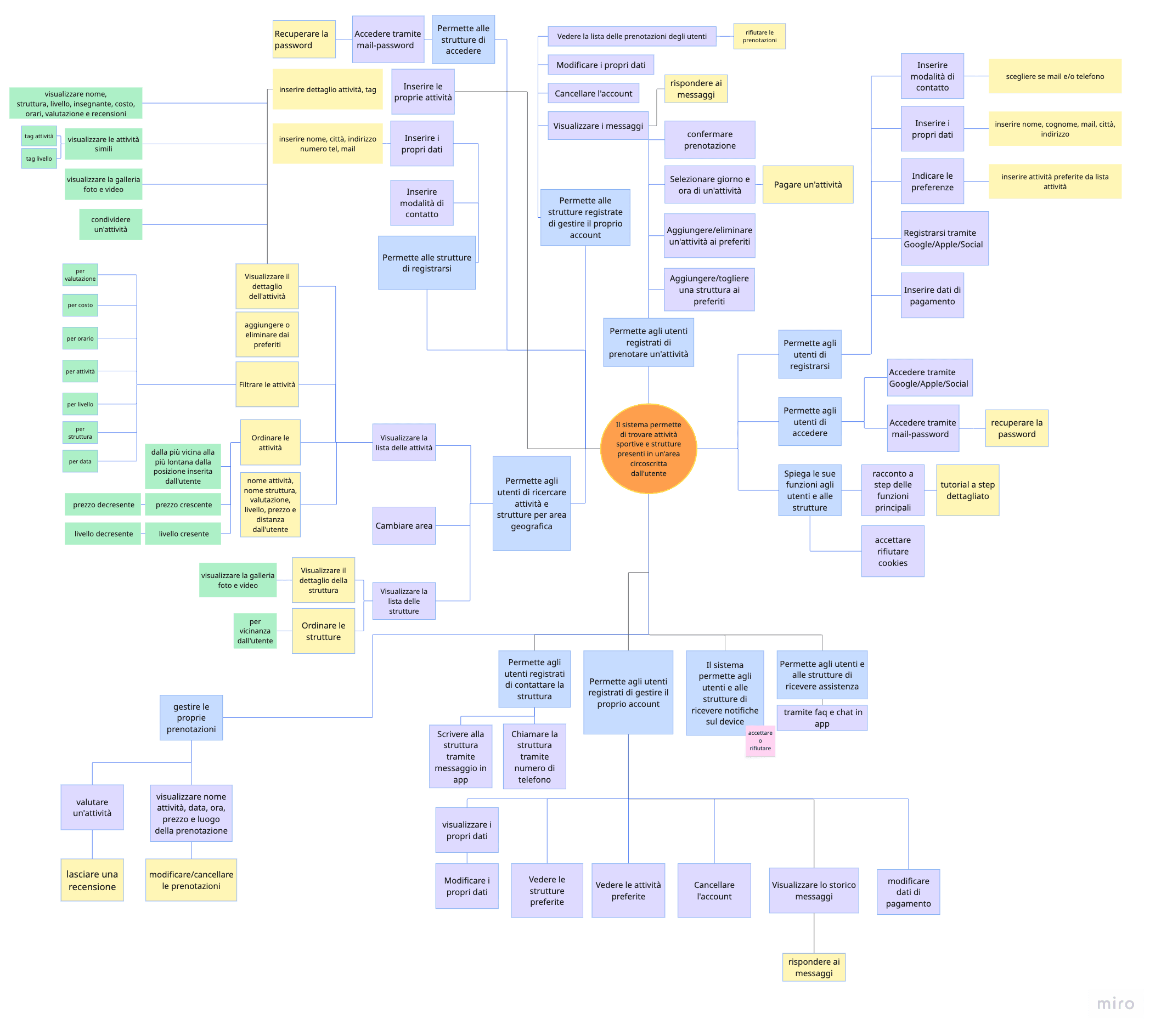
Once we had defined the user needs and built our personas, we moved into structuring the system. We started with a functional diagram: a top-down view of the system that outlines everything the system can do, in abstract terms, organized around its core function. It is system-centric, mapping every possible action a user can perform, built around a single core function at its centre:
"The system allows users to find sports activities and facilities within an area they define".
From there, every sub-function branches out, forming a complete ecosystem of actions the platform supports.
Functional Mapping
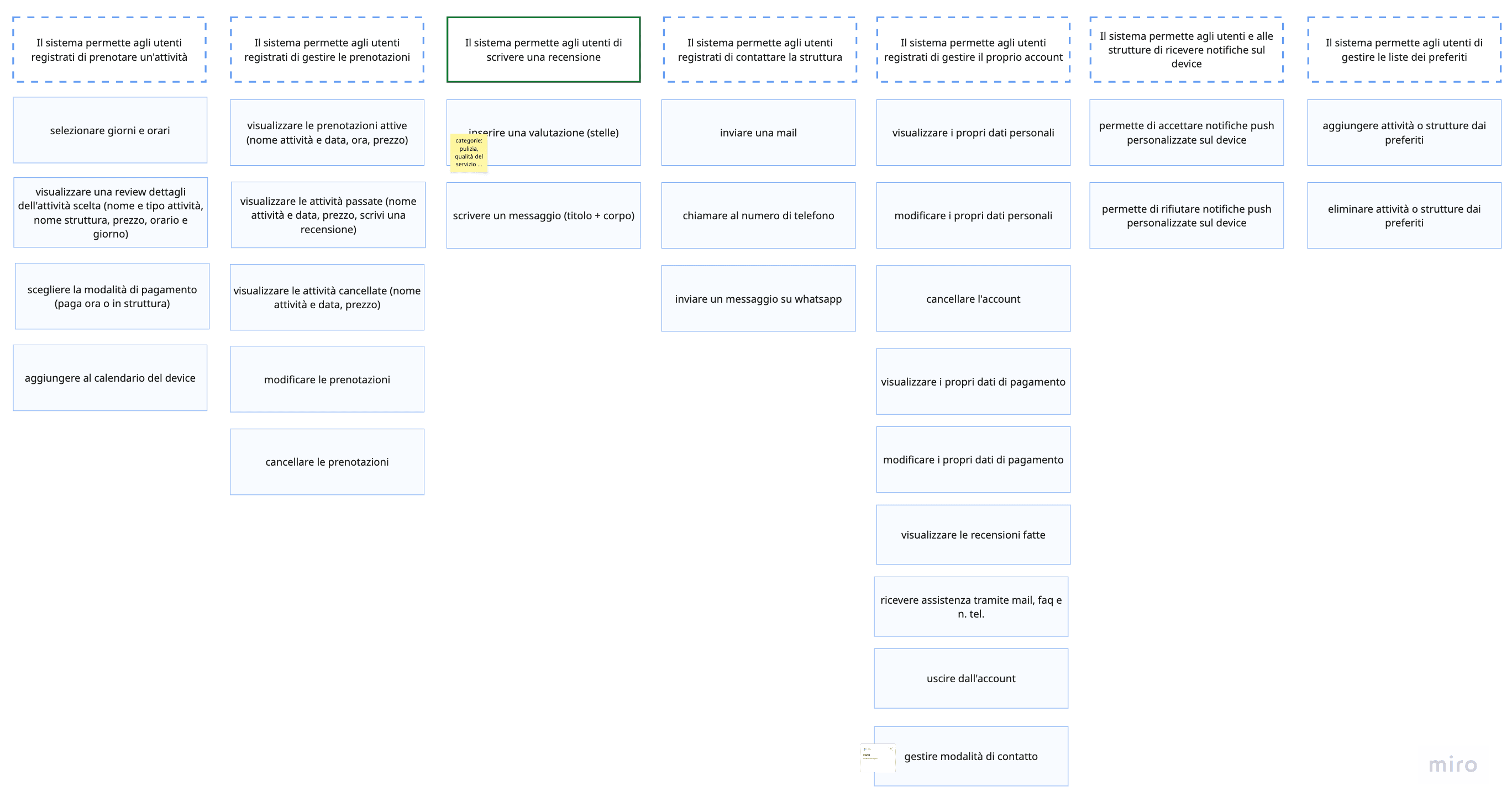
Based on the functional design, we created two user-centric flowcharts, one for consumers, one for hosts (companies and sports facilities). Each map follows a logical sequence from start to finish, showing how functions connect in a real-world workflow. This was our transition from "what the system supports" to "who does what, and when".
Design
——
wireframing
With research and information architecture behind us, we channeled everything into the design phase, starting with low-fidelity wireframes. Three values guided every decision throughout the process: speed, simplicity, and trust.
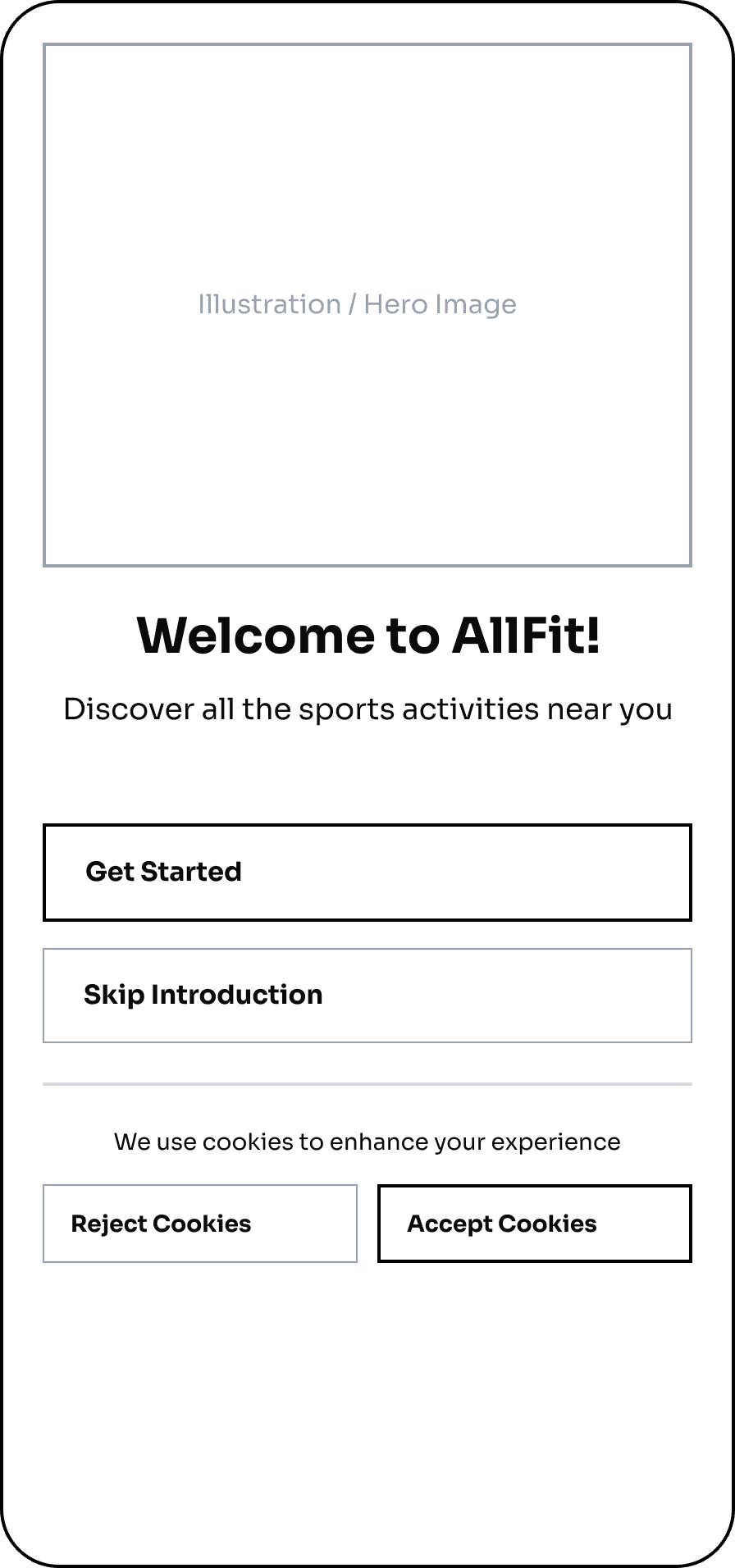
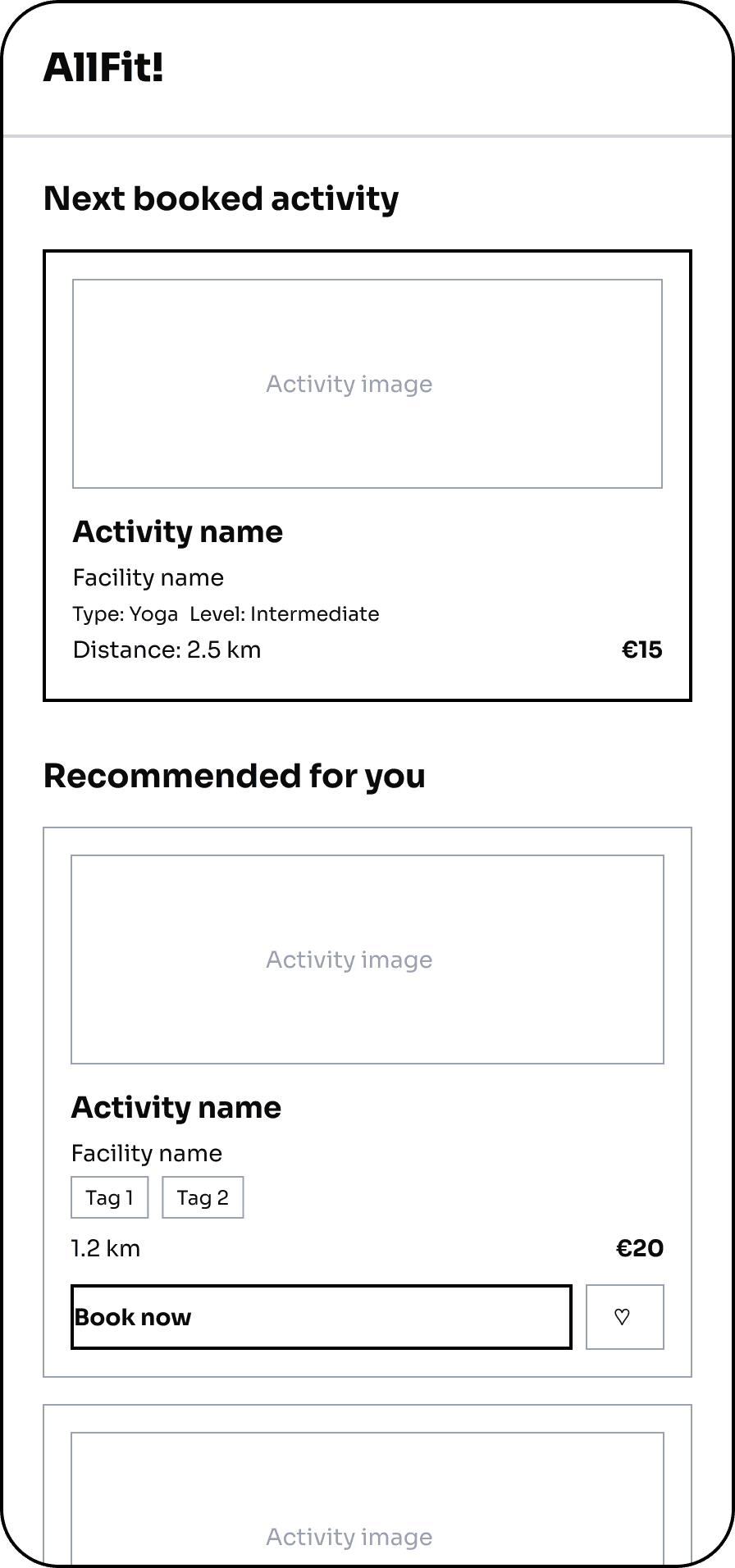
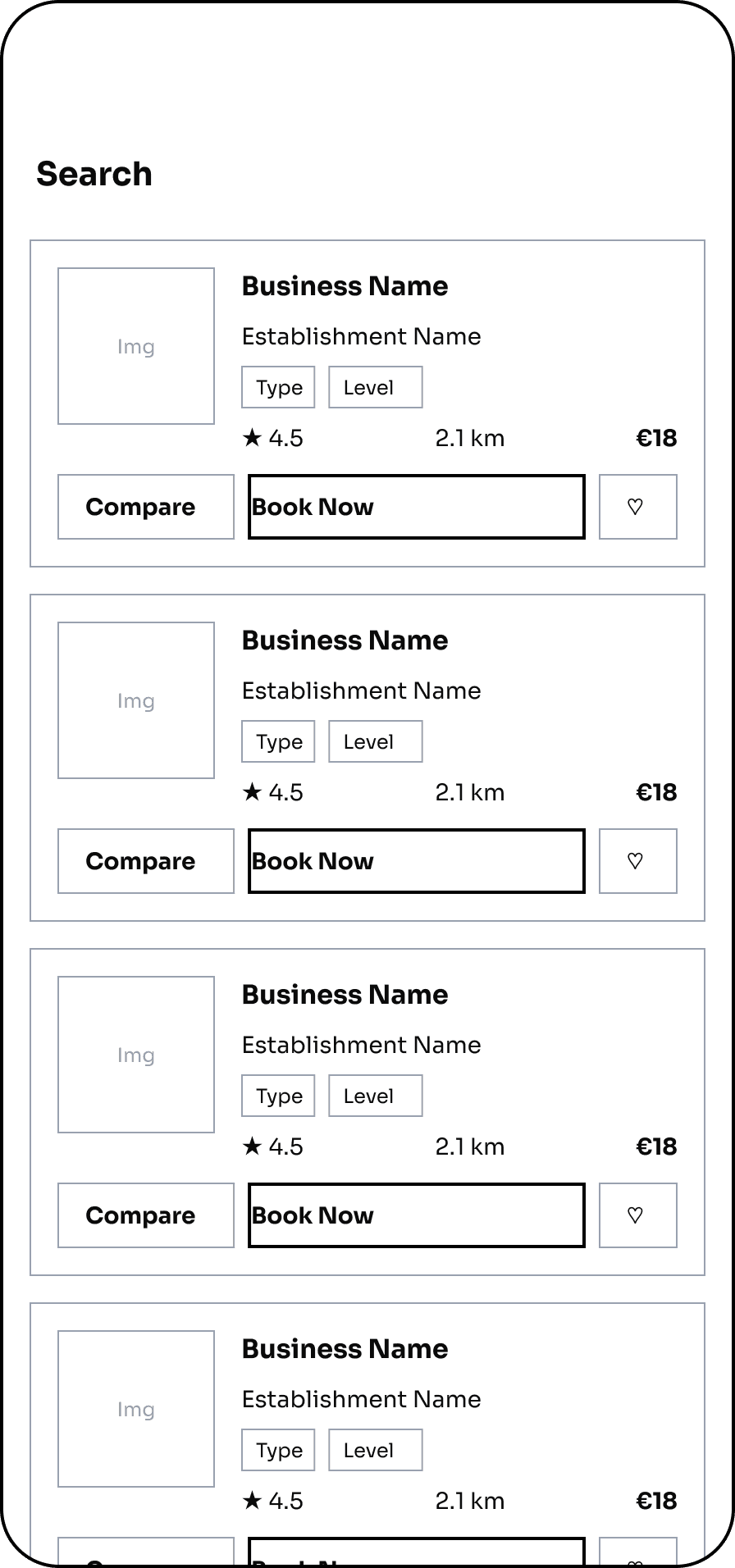
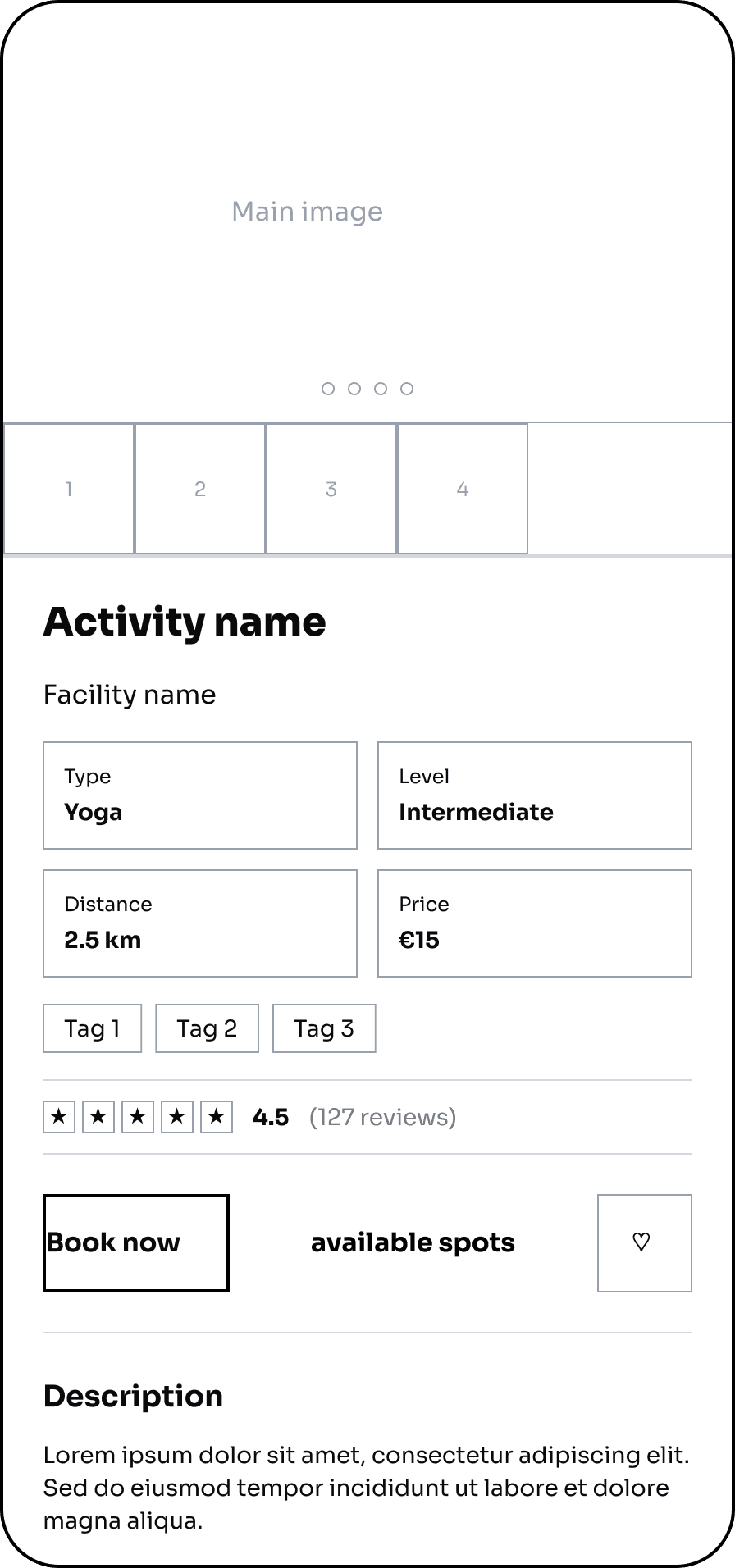
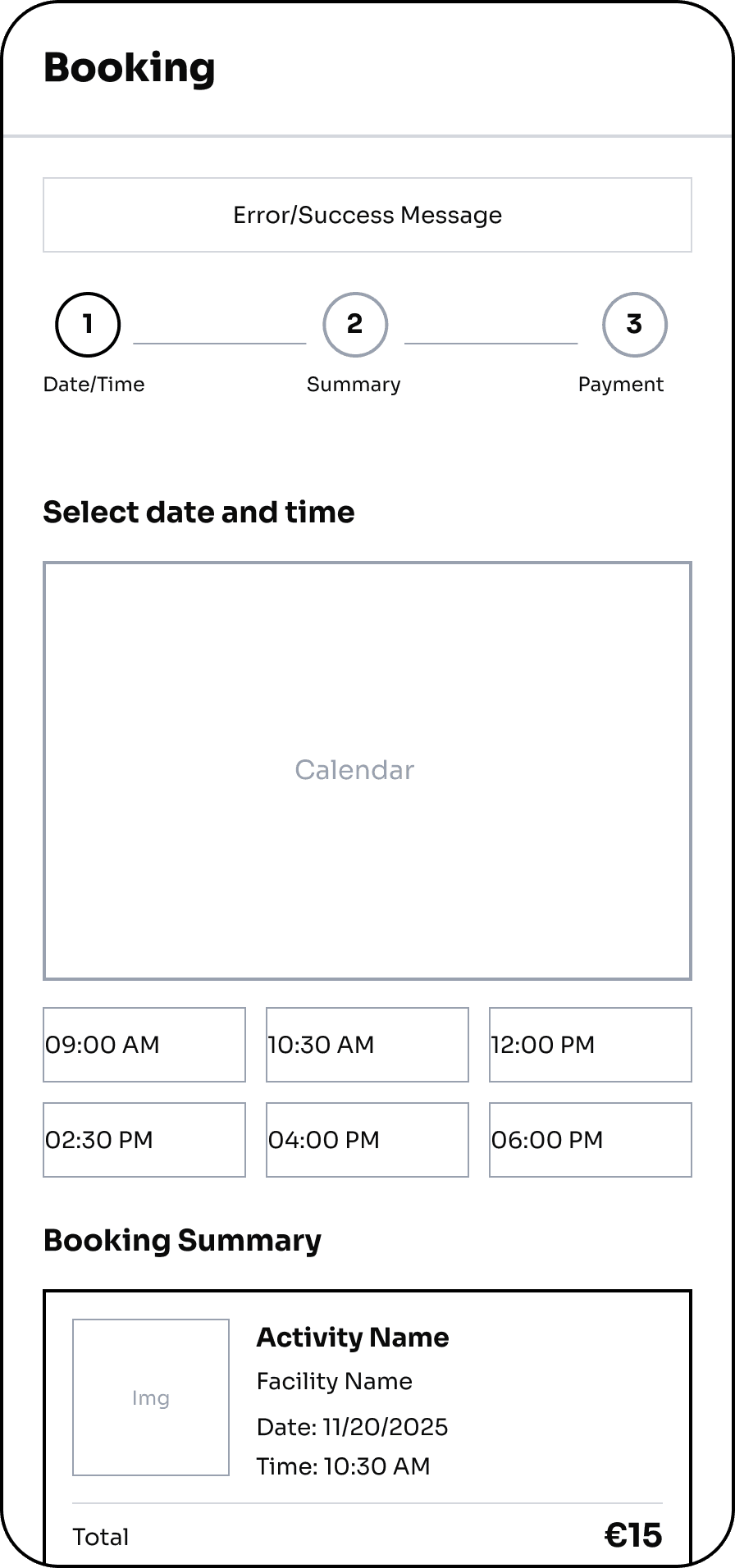
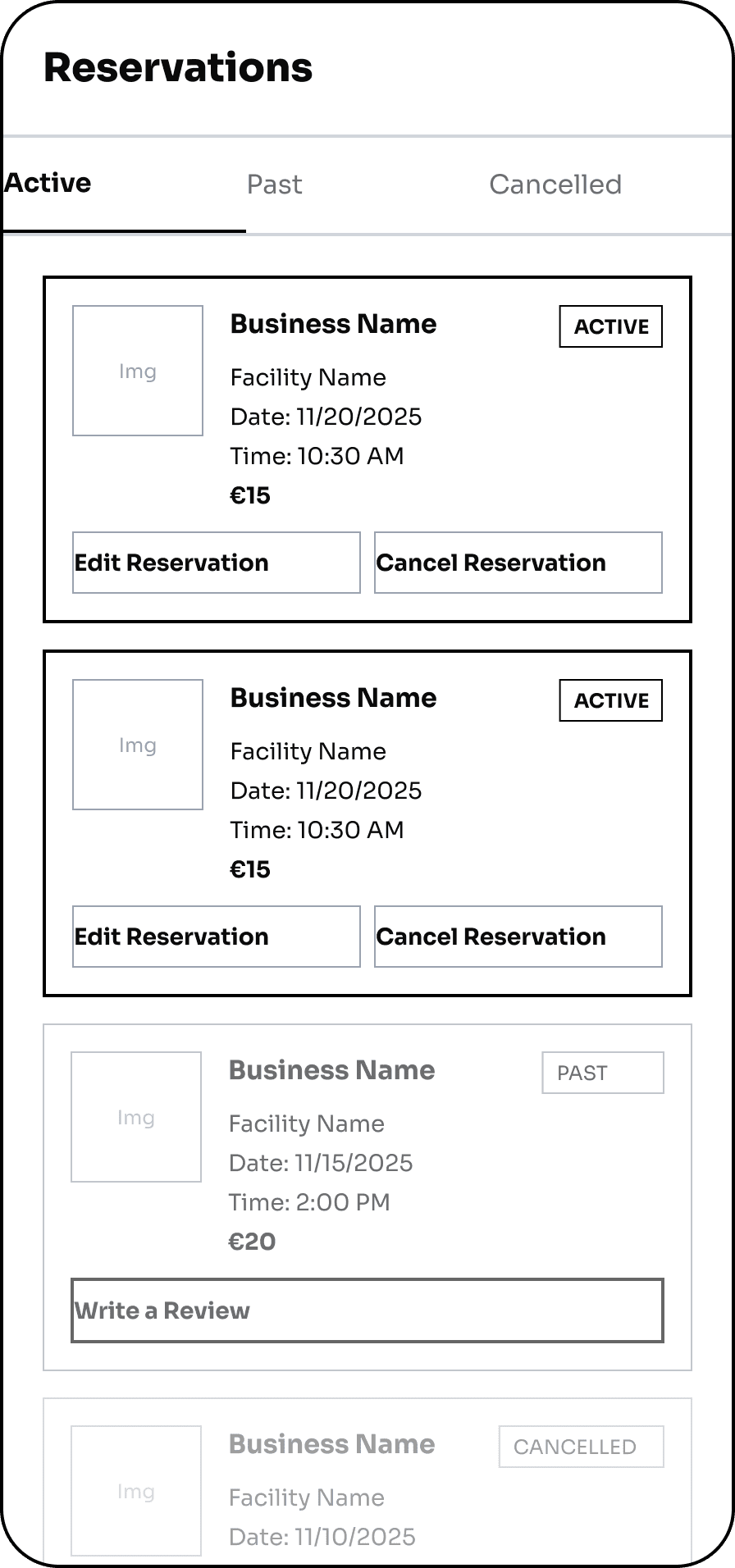
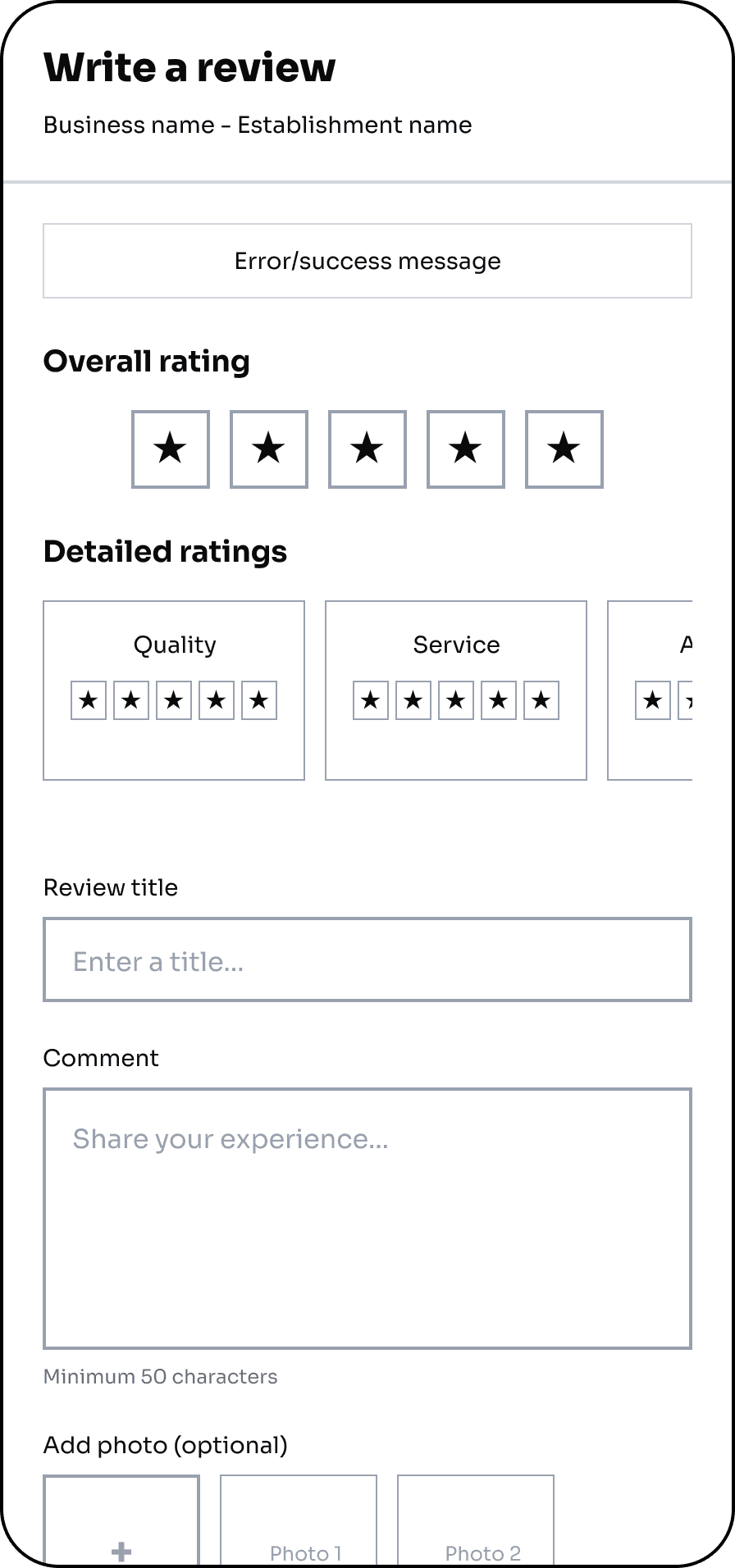
From the start, we made deliberate choices around hierarchy, starting with a clean, clear, and minimalist “skeleton” that respected all necessary hierarchies, always keeping the end user in mind.
Because AllFit isn't built for the fitness-obsessed: it's built for those who are just starting out, or who want to approach sports and fitness with no prior confidence.
LOW FIDELITY WIREFRAMES
UI & Prototype
Moving from wireframes to the final UI, every visual choice was intentional. We kept the palette deliberately simple, a bold orange paired with white, not to look like a typical gym app, but to bring energy and immediacy without overwhelming the user. Orange sits close enough to red to carry a sense of drive and motion, while staying warmer and more approachable.
The typeface, Sora, was chosen for the same reason: a sans-serif, but one with softer curves than most, structured enough to feel clean, human enough to feel welcoming. Buttons and CTAs follow the same logic: fully rounded corners, because rigidity has no place in an app designed for people who are just starting out.
Sora
AaBbCcDdEeFfGgHhIiJjKkLlMmNnOoPpQqRrSsTtUuWwXxYyZz
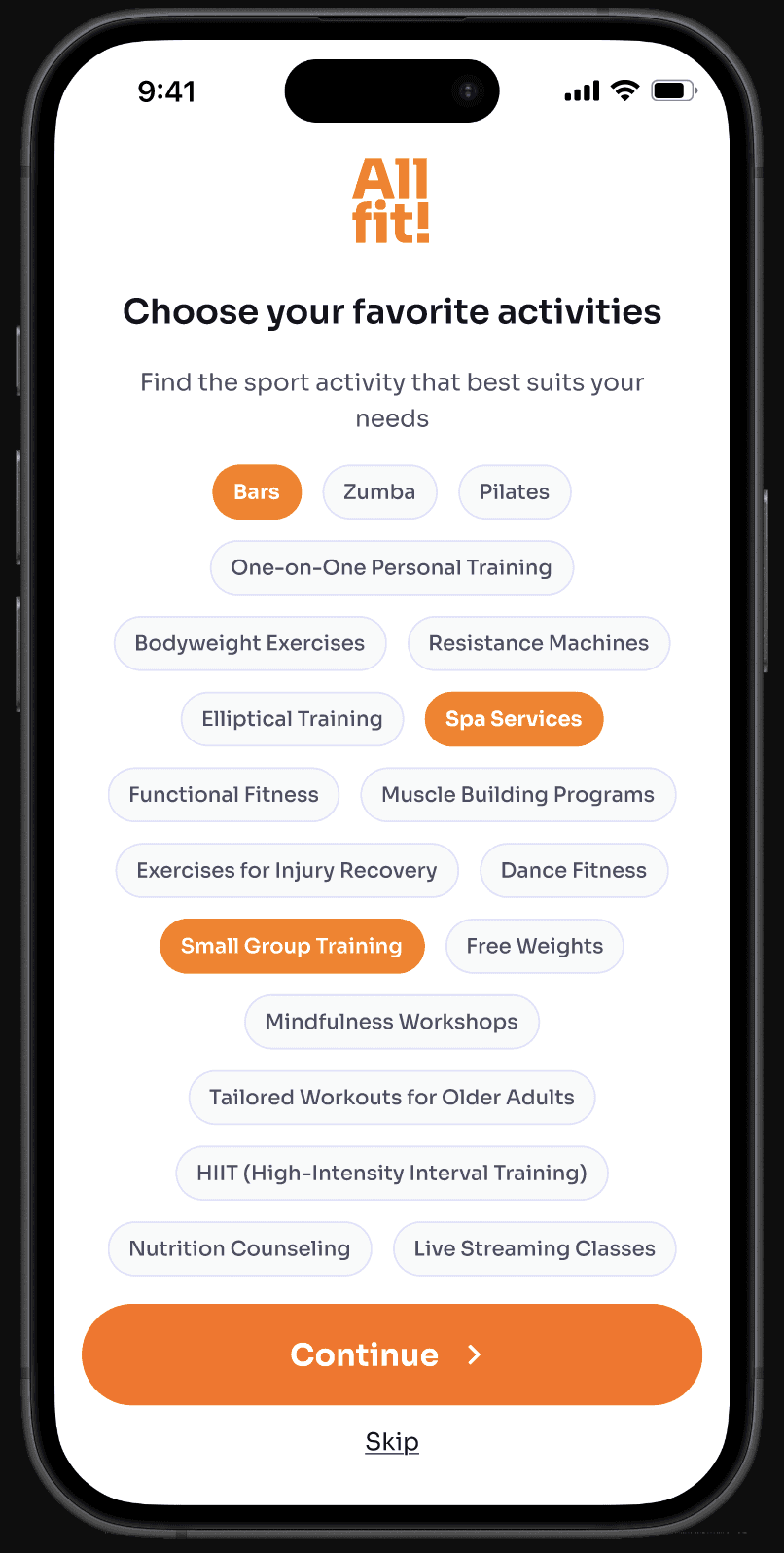
onboarding
The onboarding process begins with a splash page, followed immediately by a very brief three-step introductory tutorial that walks the user through the system’s key features.
This ensures that the user understands right away what they’re dealing with, without feeling overwhelmed by too much information.
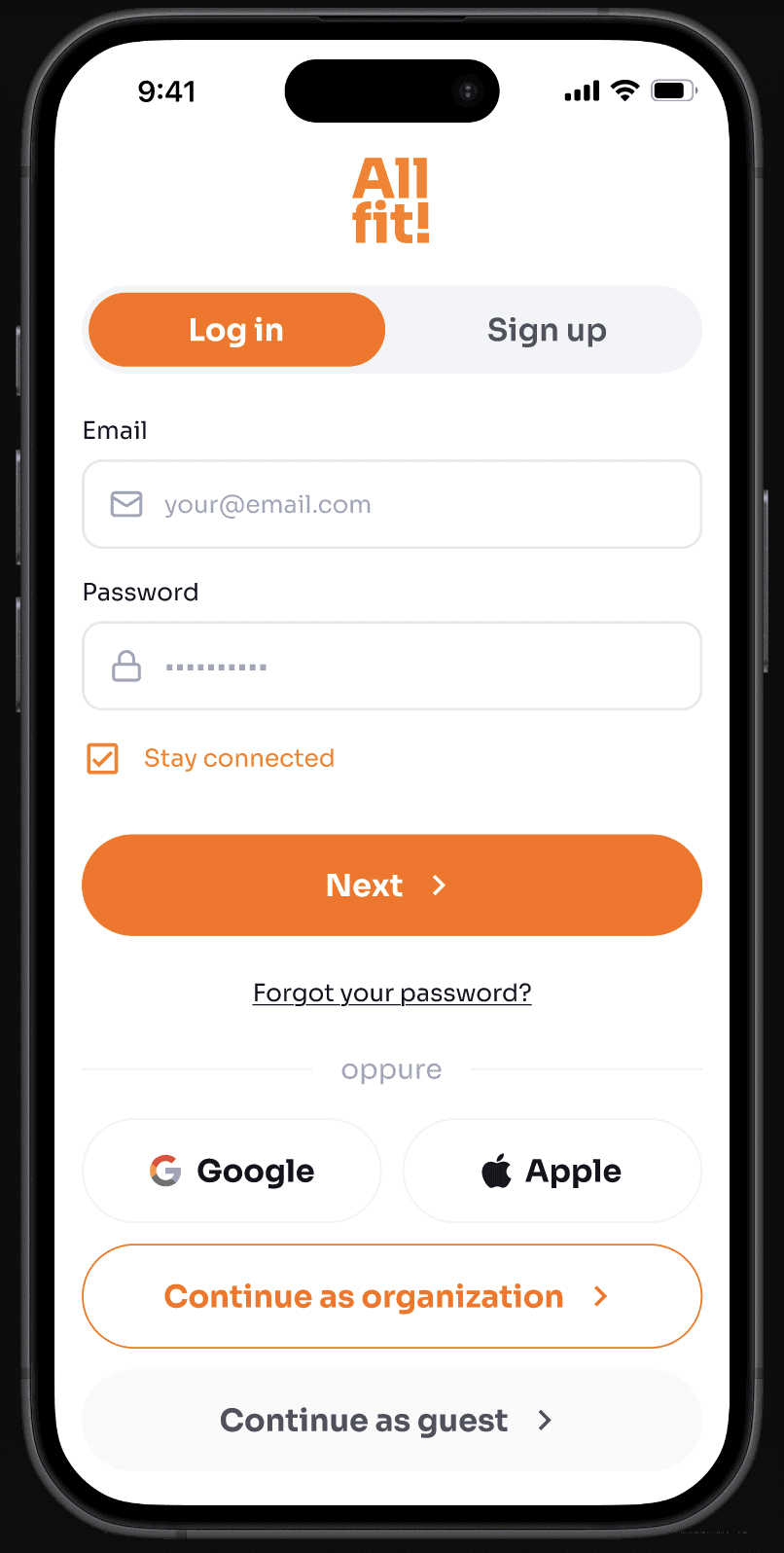
login, preferences & home page
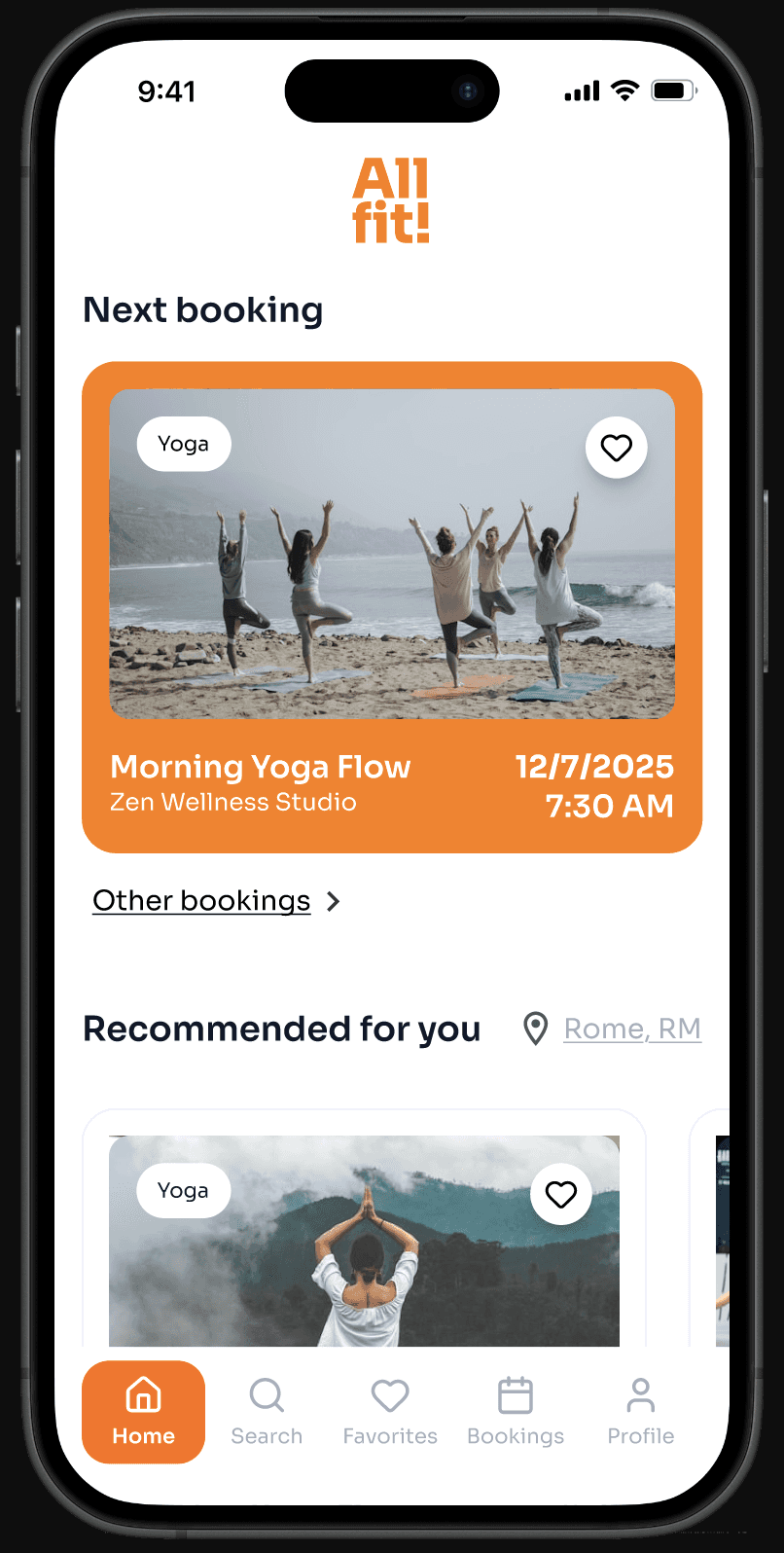
The processes for registration, login, and selecting sports activity preferences are vital to building the trust we mentioned; it’s not just about creating an account, it’s about staying connected, quick access, personalization, and ease of use.
search and filters
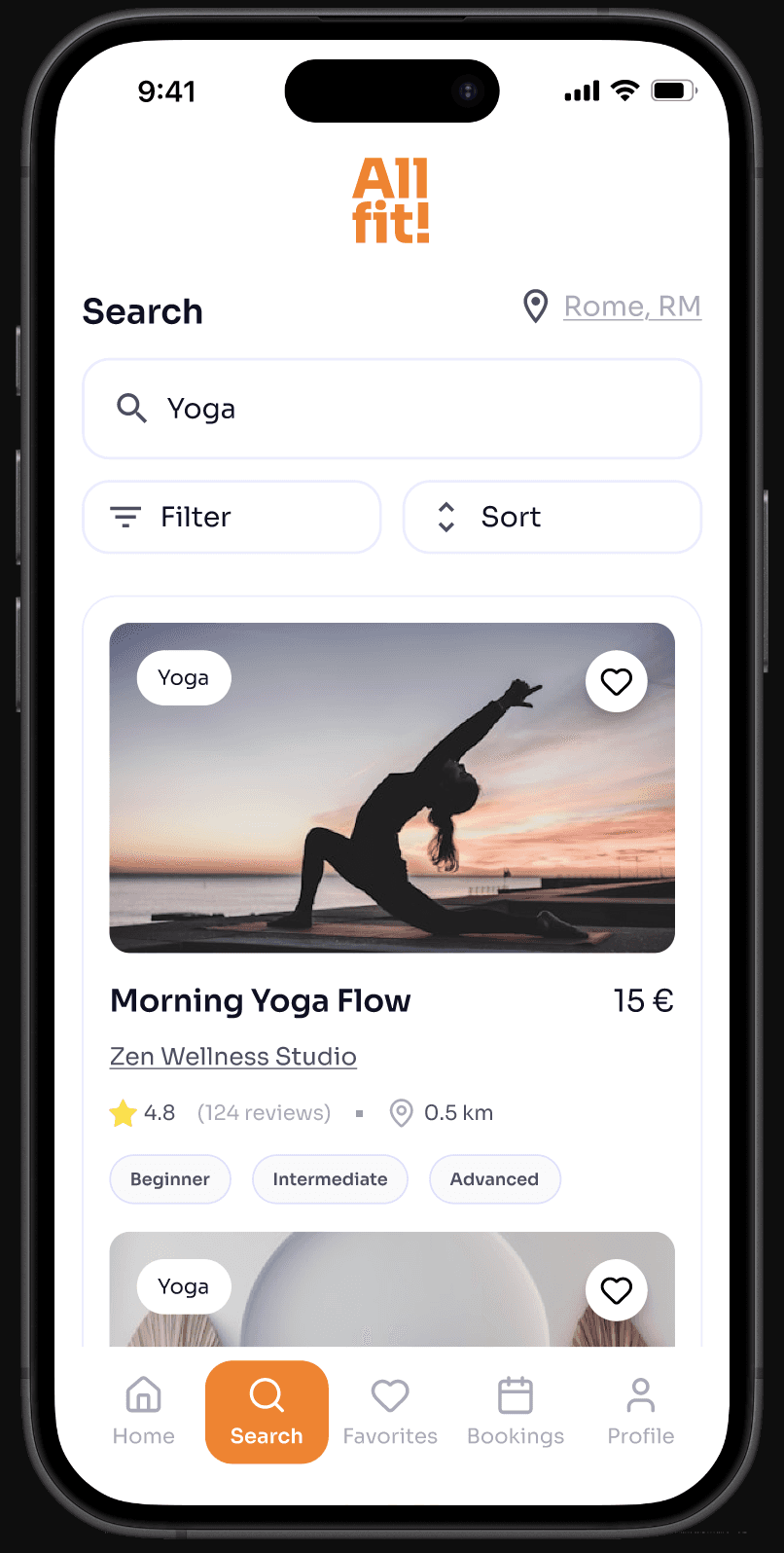
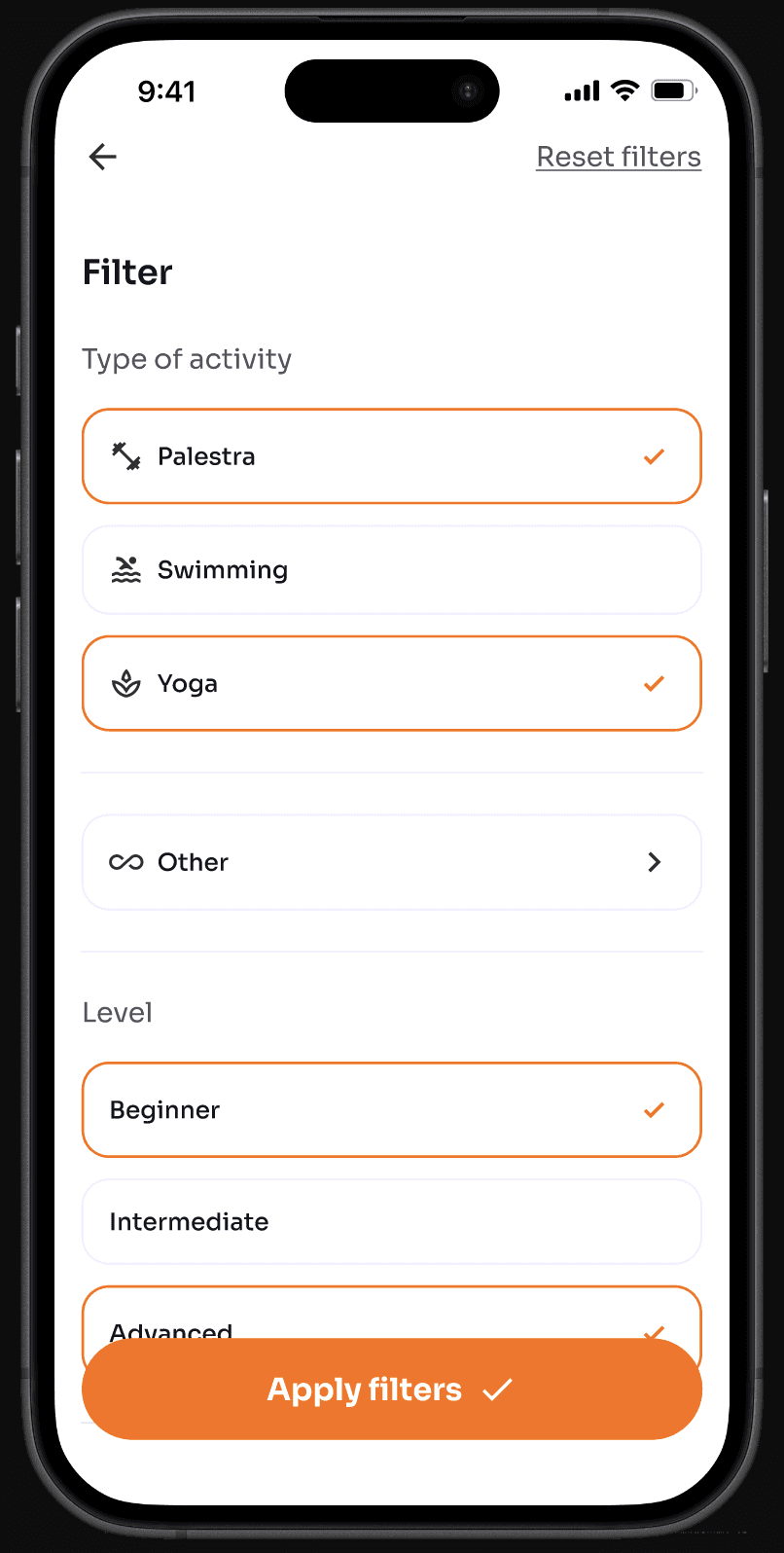
We’ve also created a section dedicated entirely to searching sports and fitness activities and facilities, enhanced by geolocation and filters, where you can choose by activity type, difficulty level, price, and reviews
The section dedicated to sports activity or facility is a cornerstone of the entire experience; it is here that users can find all the details and everything they need to know: from prices and schedules to reviews, along with various contact options (messages, calls, and email) and a map feature to view the location.
And last but not least, this is where users can sign up for an activity or book a free trial.
activity details
booking process
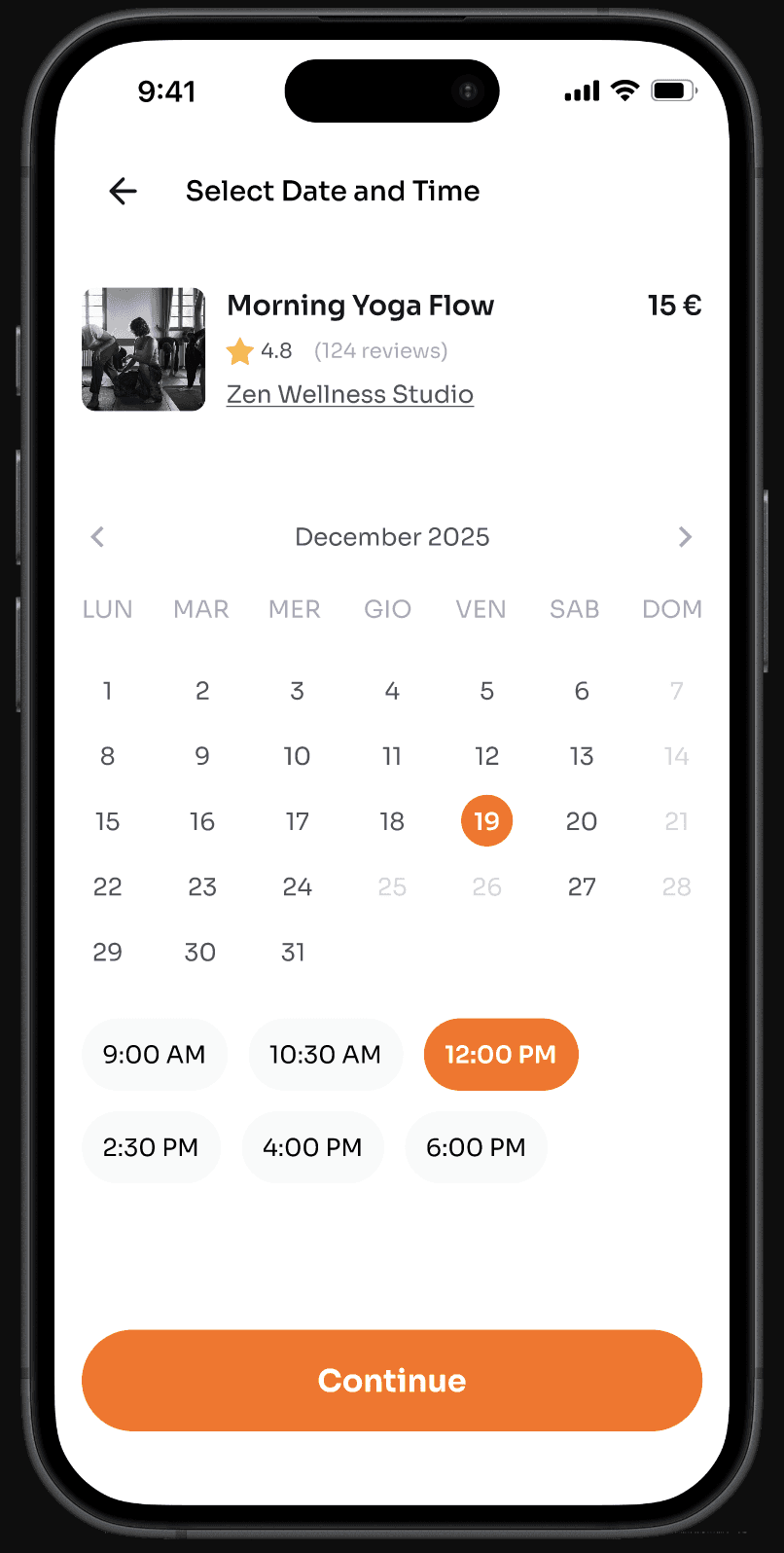
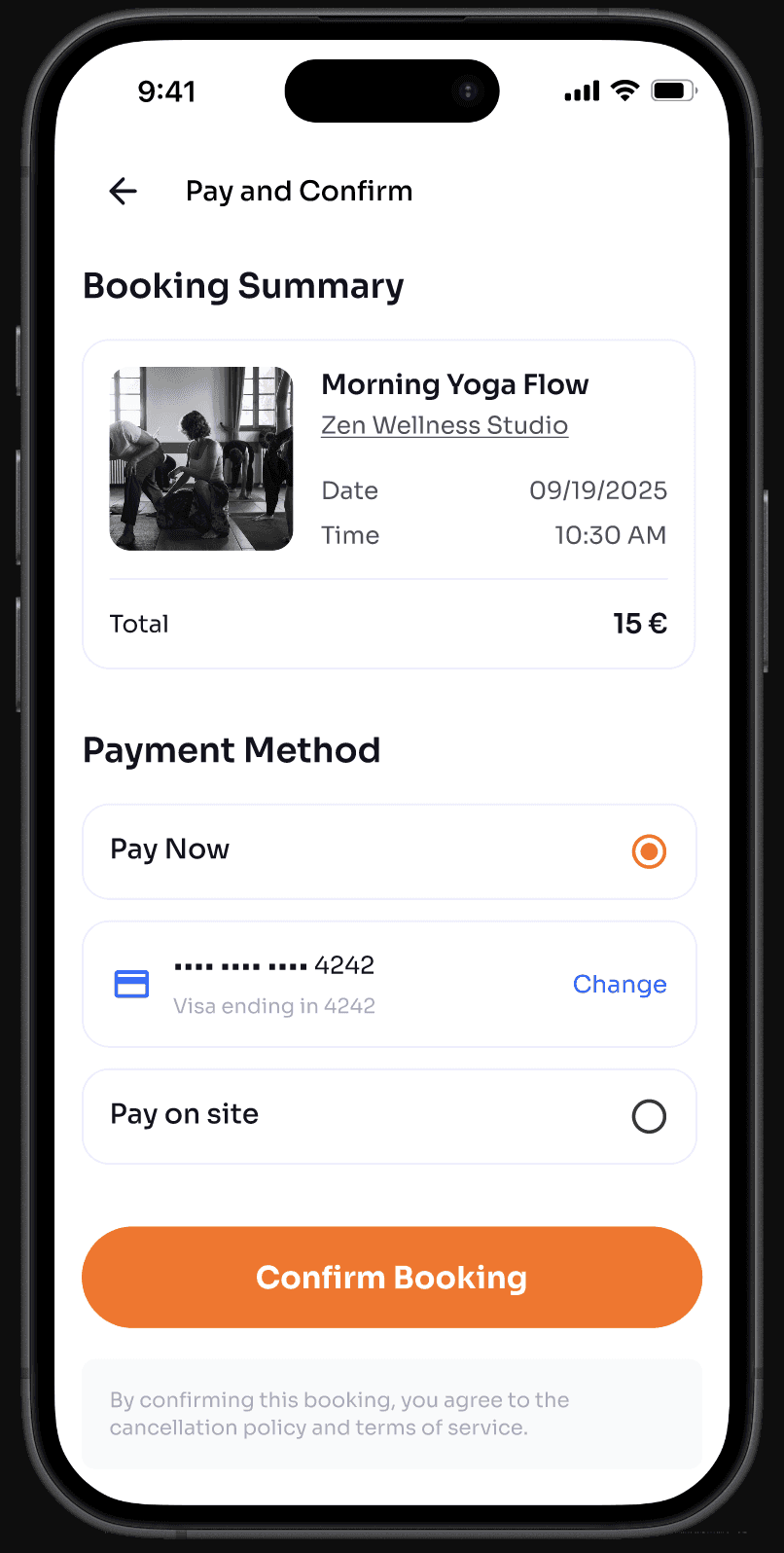
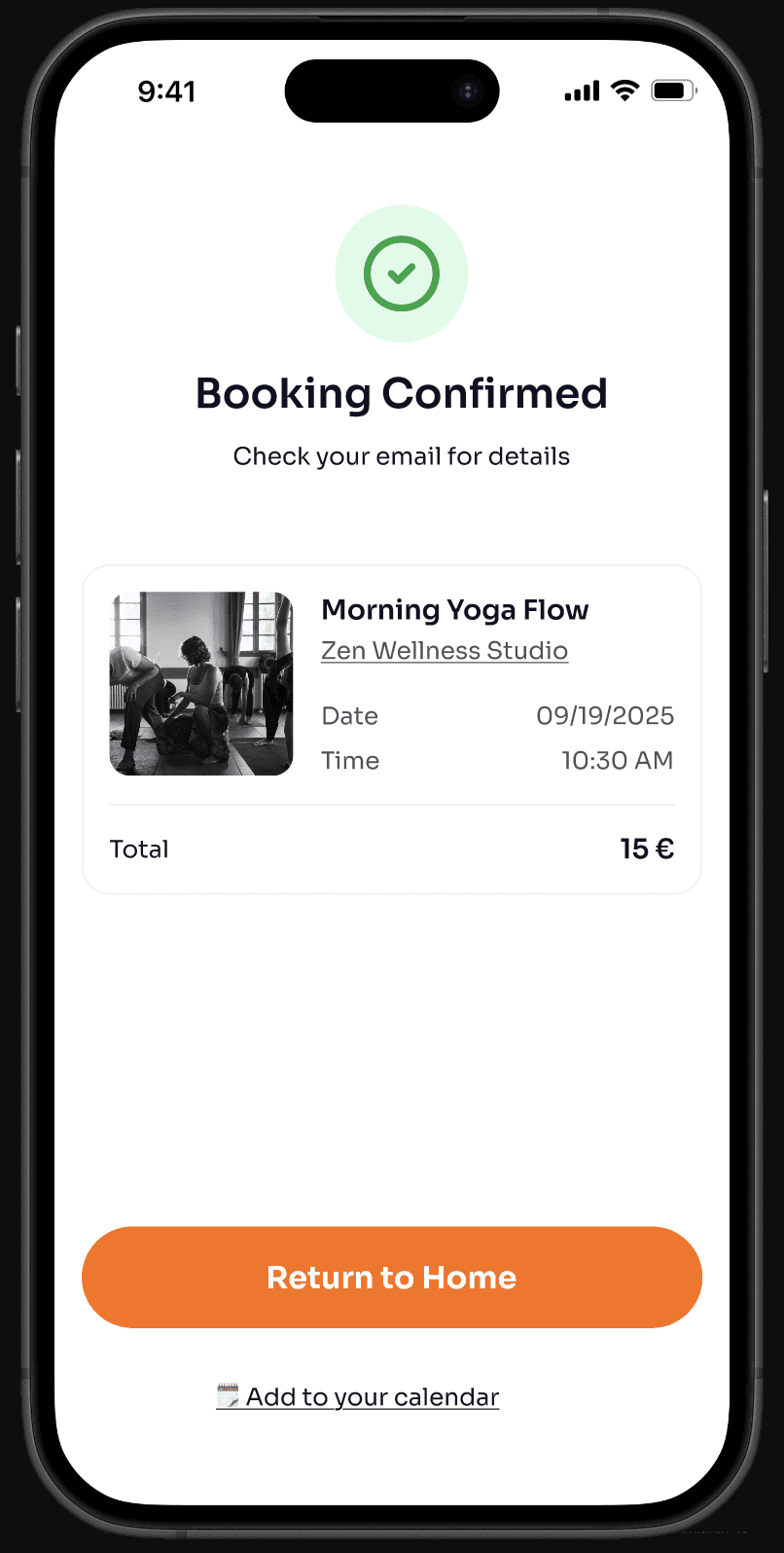
We designed the booking process to be as clear, quick, and intuitive as possible. It is divided into two steps: the user selects the available date and time from the calendar: two elements that go hand in hand but make the process easier to use, and then proceeds to select a payment method (if applicable), where they can choose to pay now or upon arrival: this way, we avoid placing too many restrictions on the user, although they still have the option to cancel the appointment (where permitted).
Conclusion
——
Even though it was just a 24-hour “design sprint” as the final project of our Master’s program, I believe that all four of us gave it our all with the resources we had, working in perfect harmony, never stepping on each other’s toes, but always with respect.
I am proud of the guidance we received from all the professors and of how we applied the various methodologies of information architecture and user experience in this project.
Working under pressure in such a short time taught me that research isn't just a step in the process, it's the whole point. Understanding how people think, what they need, and how they behave is what makes the difference between a product that works and one that doesn't.
I am also happy to have completed this project alongside my colleagues; I wish them all the best.
Thank you for reading

Filippo Gori
Branded UX Integration for
On-Board Event Photo Commerce
on-board application
© 2026
Filippo Gori